
Release 1.58
Updated
Welcome to Sardius Control Panel Release 1.58
Released September 8, 2026
Player and Player Editor
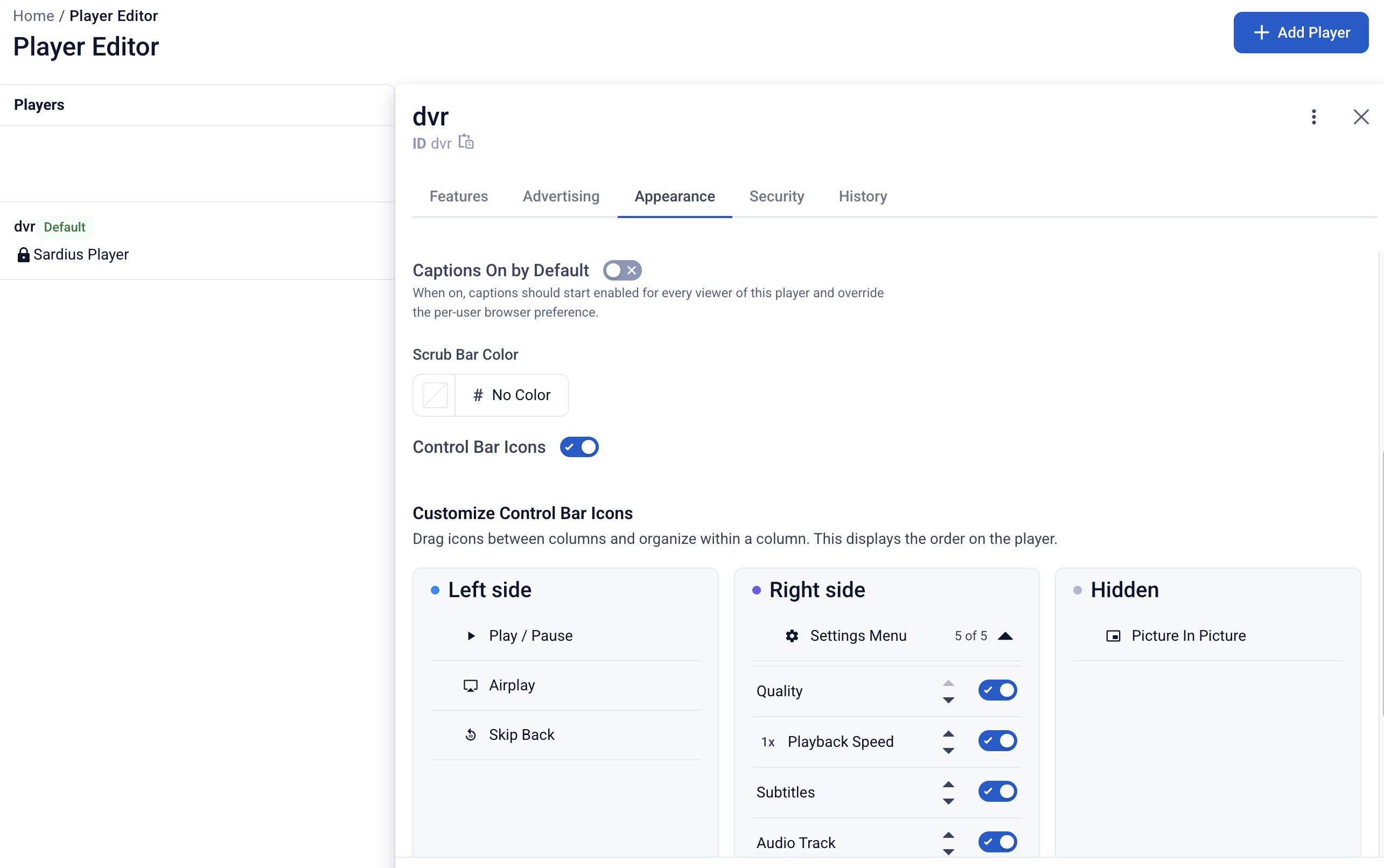
The Sardius Player now offers a wealth of new and improved functionality for your live and VOD streams.
- Player Editor / Advertising / Appearance Updates — Legacy settings that no longer apply have been removed or renamed, Advertising/Appearance pages have been refreshed with clearer labels for the Bitmovin player, and new data protections help prevent misconfiguration.
- Dedicated Closed Captions (CC) Button — Captions, previously buried in the gear/settings menu now have their own always-visible button in the top control bar, matching popular platforms.
- Default CC/Subtitle State per Player — A new Player Editor toggle allows clients to force captions on (or off) by default for every viewer, instead of relying on each viewer's browser memory.
- Poster Image Until Play is Clicked — A new per-player setting displays the asset's poster image instead of a black-screen flash while the player initializes, especially for Pre/Post Roll Ads.
- Configurable Player Buffer Time — The buffer time, previously hardcoded at 90 seconds and only adjustable by developers, is now exposed in the Player Editor with an accepted range of 10–90 seconds.
- MP4 and HLS for Pre/Post-Roll Ads — Ad source selection has been expanded to include HLS Assets, allowing low-bandwidth users more accessibility to ad content.
To learn more about the Player Editor, click here.
Stream Stepper
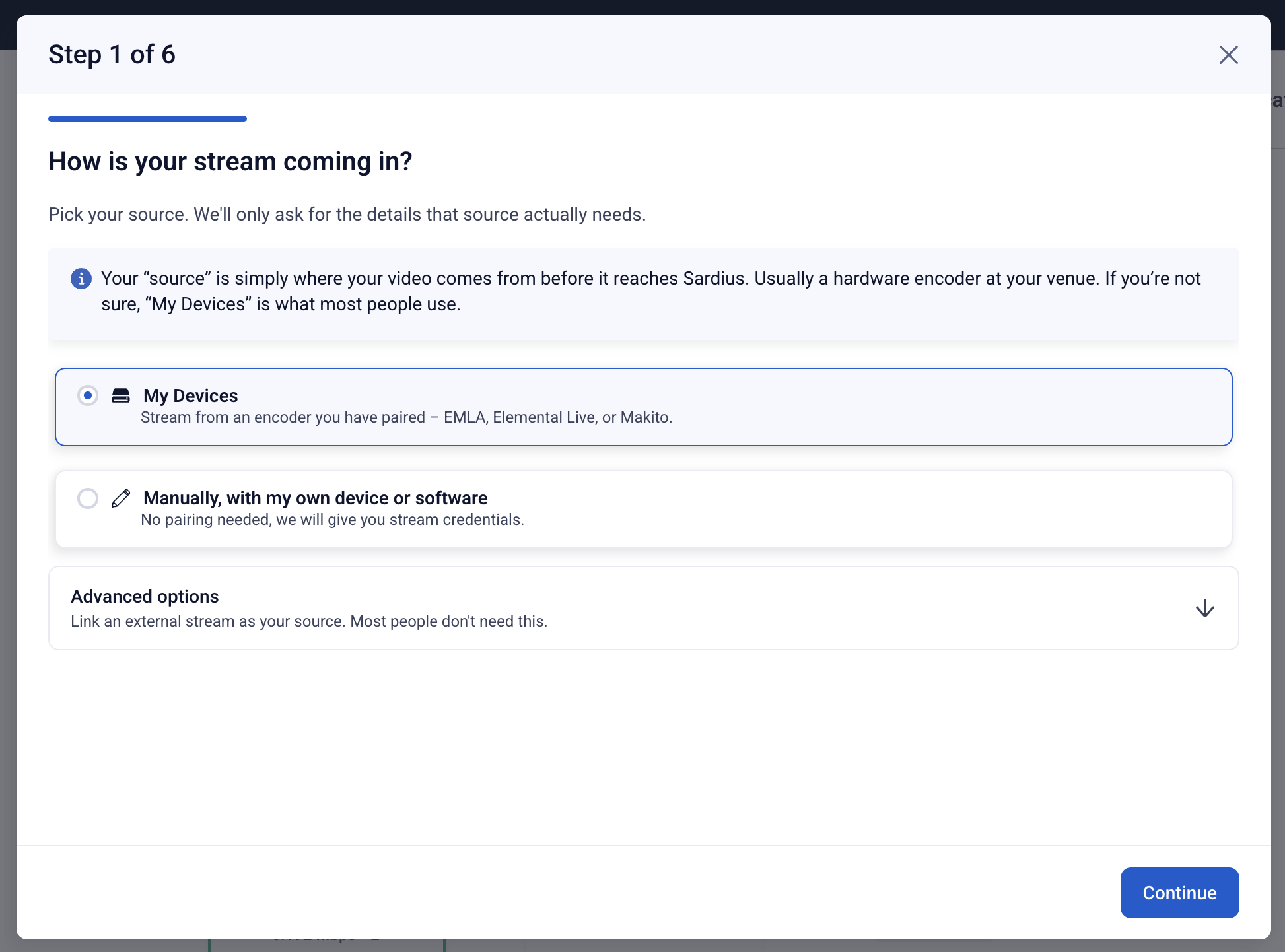
Stream setup workflows have been updated to allow you to pick your primary streaming service for paired devices, and add commonly used outputs. All of this now happens in one easy flow. Once the stepper is complete, you can still perform any additional and advanced editing methods before saving your changes.
Other Improvements
- YouTube Output — Allow Embedding Toggle — A new toggle under Outputs → YouTube lets clients control whether their YouTube live stream can be embedded on other sites. Defaults to on.
- Improved Assets Permissions for Custom Roles — Custom Roles now utilize the same filters available for Assets and Feeds to fine tune a custom assortment of assets for different users or groups on your team.
- Usage Page Updates — We've refreshed bar chart color palettes for readability and consistency; and we've brought clarity to other charts involving per-month measurements.
- Removed Collapsible Mini-Calendar — Removed the Calendar view's mini-calendar, which had a confusing three-arrow header pattern for date navigation.
- New and Improved Knowledge Base — A new platform unlocks a wealth of new tools for all users. Our AI-assisted search will help you find the articles you need, and even search video transcripts and serve up the exact moment you need to answer your questions.
:::