
New Features
Sardius AI Discover
Finding content in your library just got a lot smarter. Sardius AI Discover lets you search by what's inside your videos — spoken words, on-screen visuals, and more — rather than relying on titles or tags alone.
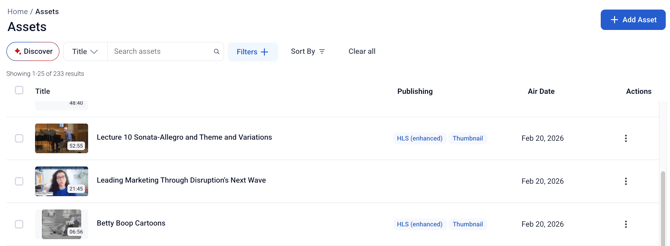
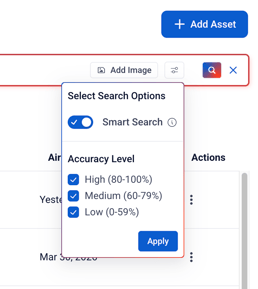
When you open Discover from the Assets page, you can choose how to search: text only, visual content only, audio only, or Smart Search, which combines all three and even corrects typos automatically. Tier 2 AI accounts can also upload an image to search by visual content.
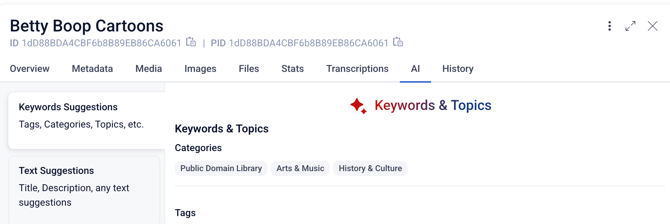
Additional improvements include AI-generated suggestions on assets, including title, description, and metadata categorization and tags.
To learn more about how to use Sardius AI Discover, click here.
Note: Sardius AI Discover is a Premium Feature. If you are interested in more information or a Demo, please contact your Client Success Manager.
Sardius Player
The new Sardius Player is now available for all accounts. It brings improved playback performance, DVR scrub bar support for live streams, and mobile support — with more features on the way.
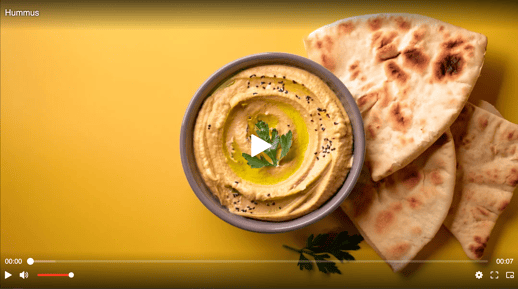
Want to see the player in action? Watch the video at the top of these release notes!
All existing accounts now default to the Legacy Player after this release. To try the new player, go to Player Settings for any player configuration and toggle from Legacy to Sardius. All accounts will be transitioned to the Sardius Player by end of 2026 or early 2027.
The Legacy Player will be officially retired at the end of 2026. Any player not migrated to the Sardius Player by then will be automatically upgraded at that time.
To learn more about how to update your existing player to the new Sardius Player, click here.
Player Playlist
You asked, and we delivered! Feeds now have a unique player that will allow the user to quickly move from video to video in the playlist. These unique players can be embedded on Collection 2.0 HTML Sections inside a Sardius Channel, standalone websites, and other applications.
Any Feed in your account can now be shared as a playlist. Viewers get a YouTube-style experience — they can browse a list of content, skip between items, shuffle, and repeat.
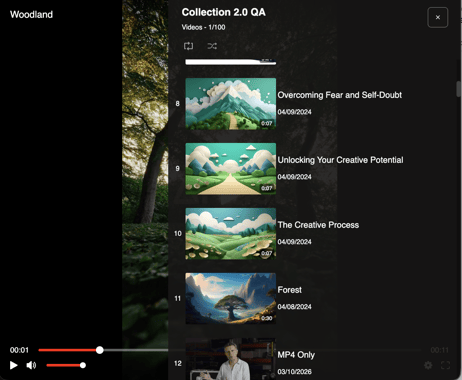
Want to see this in action? Click here!
To create a playlist, go to Feeds, click the Share Playlist option on any Feed, and configure your playlist name, player, and max item count. You'll get both a shareable URL and an embed URL for use on your website or in a Collection 2.0 HTML section.
To learn more about how to create a player with a playlist, click here.
Other Improvements
In-Browser Asset Uploader
You can now upload files up to 50 GB directly from your browser — up from the previous 1 GB limit. The upgraded uploader includes a real-time progress bar, pause and resume functionality, and the ability to minimize while you keep working in the library.
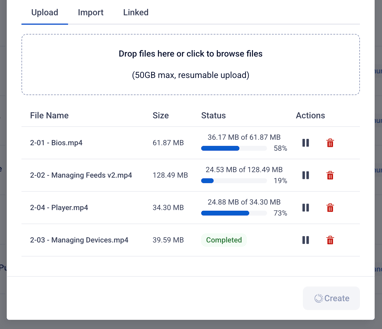
After uploading, click Create to import the file into your asset library and start publishing.
This upgrade comes with an added bonus. Have you ever released an asset to your audience, only to find hours or days later that it had a mistake or something that needs to be removed? Now you can upload a new source file to your same asset and replace it!
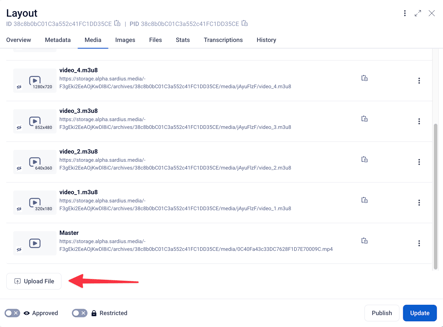
Simply upload the new file to the asset's media tab, set it as default, and publish right away! Once publishing is complete, the revision becomes the default and is distributed to all viewers.
To learn more about how to upload assets into your account, click here.
Or click here to learn about replacing assets with the new uploader.
Makito Management Updates
Haivision's EMS service is being replaced by Hub360, and the Sardius Control Panel is ready for the transition. Starting April 7, clients with paired Makito encoders will have a 17-day window (April 7–24) to complete a one-time migration with Sardius Support assistance.
The migration takes 3–5 minutes per encoder and preserves all existing channel configurations and workflows. Makito X and Makito X4 encoders are now clearly identified by subtype in the Devices list.
Contact Sardius Support as soon as possible to begin the migration.
Any Makito not migrated by April 24 will be removed from the system on April 27.
Any remaining paired Kulabyte encoders will be removed on April 27th as well. Kulabytes can still be used for livestreaming with Sardius Stream if set to a manual mode.
Expanded Default Settings for Livestream Archives
All users can now set default metadata for archived events at the channel level. Instead of manually entering metadata such as series, category, and other fields every time a new event is created, you can preset these values once under the new Archive tab in Channel Settings. All new events on that channel will automatically inherit those defaults.
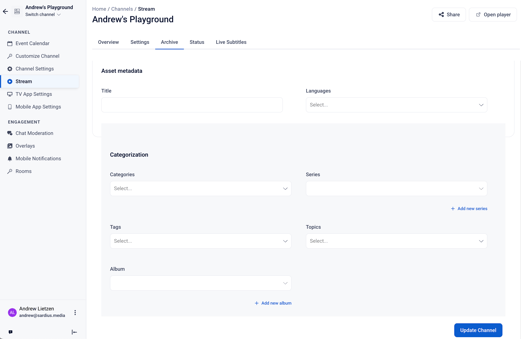
To learn more about creating a channel’s archive settings, click here.
Other Improvements
Two improvements to the live chat experience:
-
Pinned message auto-collapse — Pinned messages now automatically shrink to a two-line preview after a few seconds. Viewers can expand or collapse them using a "See More" toggle, keeping the chat sidebar clean — especially on smaller screens.
-
Chat room filtering — Events with multiple chat rooms now include filter and sort controls. Moderators can filter by room type (Watch Party or Breakout Room) and use live search to find specific rooms quickly. Particularly helpful for large events with many simultaneous rooms.
Four improvements to the Asset Library:
- Redesigned filters — We've removed the default Type, Categories, and Advanced Filters buttons and replaced with a new filter system. Add custom filters at any time (think Tags, Topics, Categories, Deleted, and more), and then share your customized view with another Control Panel User!
- Open assets in new tab — We've made it easier for Asset Managers who are always working deep in the library! Now you can right click on any asset in the library listing and open it in a new tab.
- Publishing labels — It's now clearer to see what already has HLS and MP4 readily available with your assets. The ever-confusing "Unpublished" marker is removed from the all-assets listing and replaced with badges that represent what media files are present within the asset.
- Full-screen asset editing — The asset editing view can now be expanded to full screen for more space when making updates.
Questions about any of these features? Reach out to your Sardius Client Success Manager — we're happy to help!