
Search Across Campus Services in Pulse360
Updated
Find the moment across every campus without scrubbing end to end. Search looks through titles and through what was said, shown, or sung, so you land in the right second instead of guessing which recording to open.
Open Search
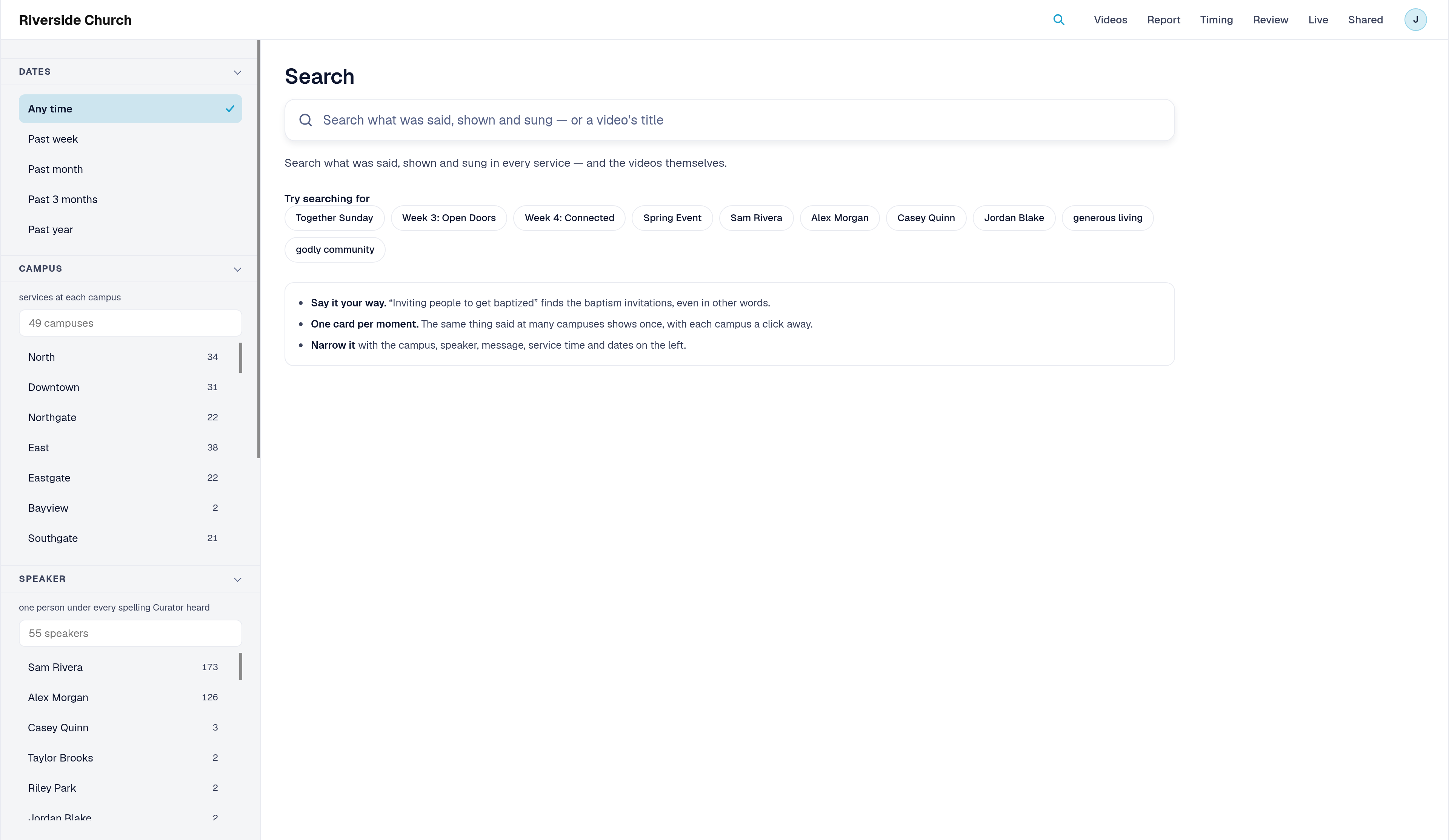
Click Search on the navigation bar (the magnifying glass). You can also press the slash key anywhere on the page to put the cursor in the search box.
Run a search
- Type what you are looking for. Titles filter as you type. To also search what was said, shown, or sung, type at least 3 letters or numbers (the hint under the box appears when the query is still short).
- Press Enter to search at once, or pause briefly and Search runs on its own.
- Review the results. Tabs group what came back, each with a count: All, Moments, Videos, Slides, Scripture, and Songs & more (songs, on-screen text, notes, and related items). If you only see the All and Videos tabs, searching inside services isn't turned on for your site. Contact your Account Manager to ask about it.
- Open a result with Play (watch the moment over the results) or Open video (go to that video at the moment).
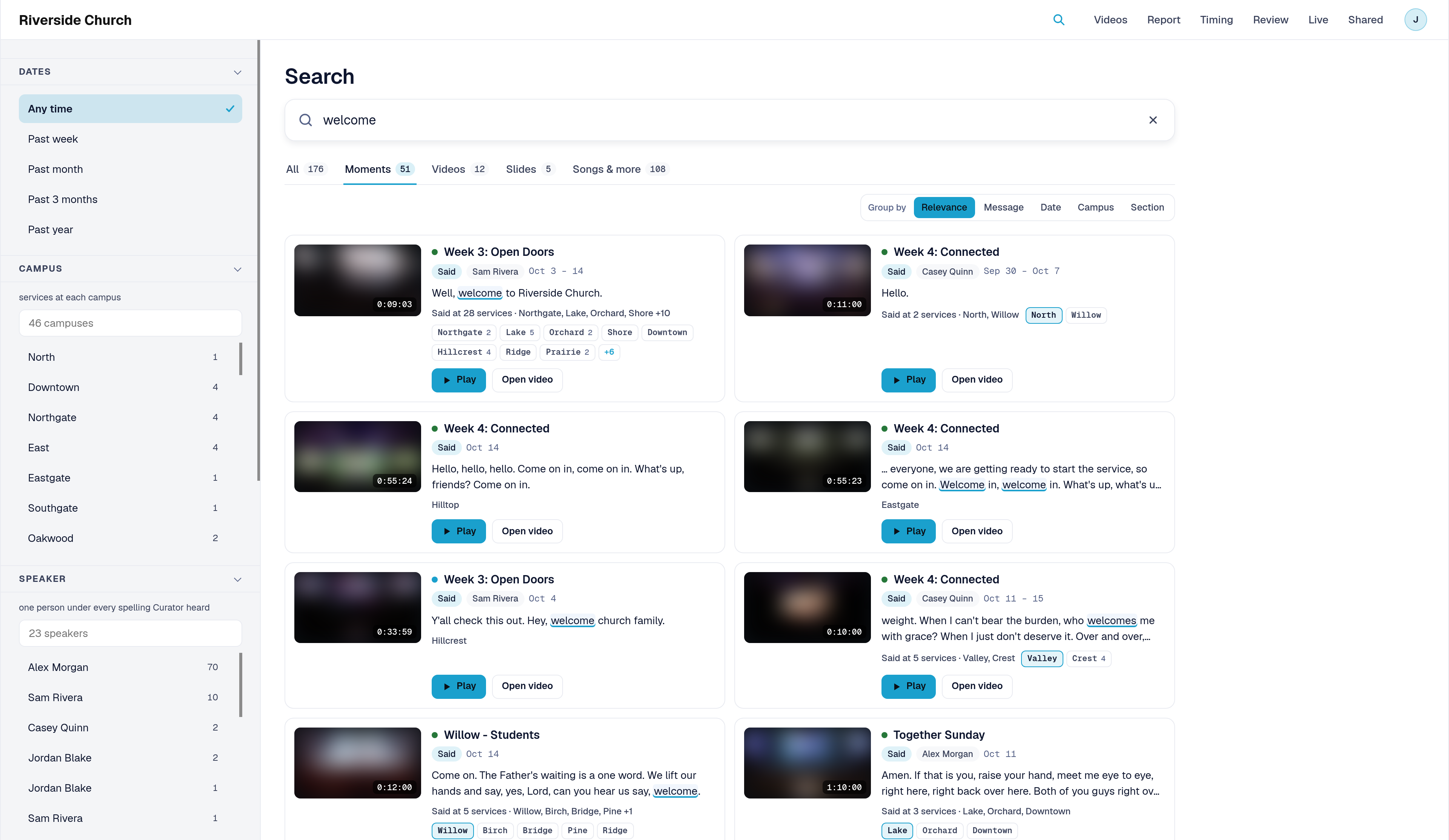
On a moment card, the same thing said at many campuses is one card. Campus chips let you play another campus's copy. A small match strength mark reads as Close match, Related, or Loosely related when you hover it.
Narrow and group results
On the left, Filters narrow every tab:
| Filter | What it does |
|---|---|
| Dates | Any time, or past week, month, 3 months, or year |
| Campus | Results at the campuses you choose |
| Speaker | Results with that speaker |
| Message | Results in that message series |
| Service time | Results in that time slot |
Group by (on Moments, Scripture, and Songs & more) can sort by Relevance, Message, Date (week), or Campus.
Use Show more to reveal more results. On Moments, Find more matches asks for another page of meaning results when available.
Esc or the × in the box clears the search and filters and returns to the starting view. Clear history clears your recent searches in this browser.
Ways to use Search
Here's how Search answers real questions about finding a moment across your campuses.
1. Find a spoken line
- What you want to find out: Where did someone say "welcome home" this weekend?
- Where Search answers it: Type the phrase, open the Moments tab, optionally set Dates to the past week.
- What to do next: Click Play on the best card, or pick a campus chip to hear that campus's copy.
2. Find a slide people saw
- What you want to find out: Which campuses showed a slide with a specific title or line?
- Where Search answers it: Search those words, open the Slides tab, narrow with Campus if needed.
- What to do next: Play the slide moment, or Open video to stay on the full video page.
3. Find a song or scripture
- What you want to find out: When did Riverside sing a song or read a passage of scripture across campuses?
- Where Search answers it: Search the song title or reference. Use Songs & more or Scripture, and Group by Campus or Message if the list is long.
- What to do next: Play the moment, then switch campus chips to compare the same hit elsewhere.
4. Find a video by title or speaker
- What you want to find out: Where is the recording for a series or speaker without browsing every video?
- Where Search answers it: Search the title, series, or speaker name, then open the Videos tab.
- What to do next: Open video on the match. For browsing without a query, use Browse Campus Videos in Pulse360.
Congratulations! You can find the moment you need across campuses without scrubbing every recording.
Related articles
Questions about any of these features? Reach out to your Sardius Account Manager, or you can request a demo by clicking here.