
What is Curator?
Updated
Ask a real question. Get a cited answer from what they actually said. Not a chatbot.
This article covers what Curator is and how its pieces — feeds, embeds, and your website — fit together. For step-by-step instructions, see Create a Curator Embed, Advanced Curator Settings, Curator Embed Management, Curator Insights, and Curator Understanding.
What Curator is
Sardius AI is three products, each with a job. Discover finds a moment in the library. Create writes from one video. Curator answers from the whole library, cited to the exact second. If they never covered it, it says so.
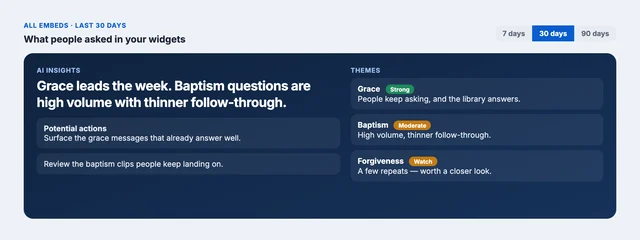
The teaching is already there. Now anyone can find the moment — on your site, in an embed. Two companion pages come with it: Insights, where leadership sees what people actually asked, and Understanding, where you see what the library itself actually contains.
Questions while you set this up: support@sardius.media
Where it lives
Curator is its own section in the left nav, between Content and Stream.
| Page | What it's for |
|---|---|
| Insights | What people asked, how well the library answered, and what to do next. |
| Embeds | The widgets on your websites — look, code, and usage. |
| Understanding | What your videos are actually about — not audience stats. |
Until the first widget exists, Insights and Embeds both show a welcome wizard — a step-by-step setup screen — instead of the dashboard, the normal view with your charts and widget list that appears once you have real data.
How the pieces fit
These four pieces below are what take Curator from installed to actually working: a feed to search, an embed for visitors to use, a website lock so it only runs where you want, and a report that shows whether it's helping.
Read them in order — each one builds on the one before it:
- A feed is the library. Curator answers only from the feed you attach to an embed. AI Discover on that feed is what makes the media searchable — it's the automatic step that transcribes and analyzes your videos, and it needs to finish before Curator can find anything in them.
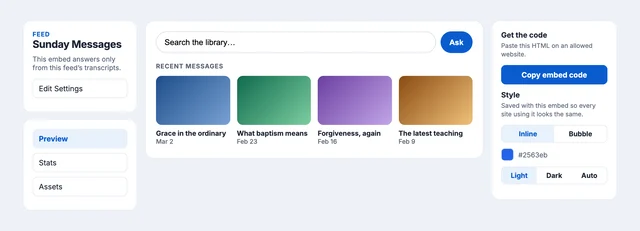
- An embed is the widget. Each embed has its own feed, look, and answer settings. You can add more later — different content, different voice, different site placement.
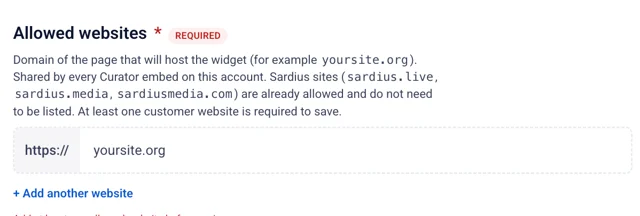
- A website allowlist is the lock. The widget loads only on domains you list. Sardius sites are already allowed. At least one of your organization's websites is required to continue first-time setup
Ready to set one up?
Continue to Create a Curator Embed to pick a feed, set up your allowed websites, and get the code onto your site.