
Add a Series
Updated
A Series is a themed, time-boxed grouping of video assets — think "Spring Product Launch" or "Season 2," not an ongoing bucket like a Category. Series live inside Categories: one Category can contain many Series.
Adding a Series
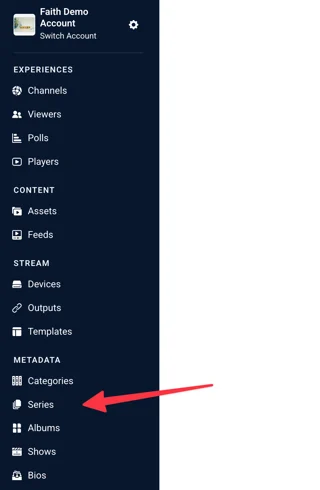
1. To add a Series, locate the Series link on the sidebar. It can be found under “Metadata.”
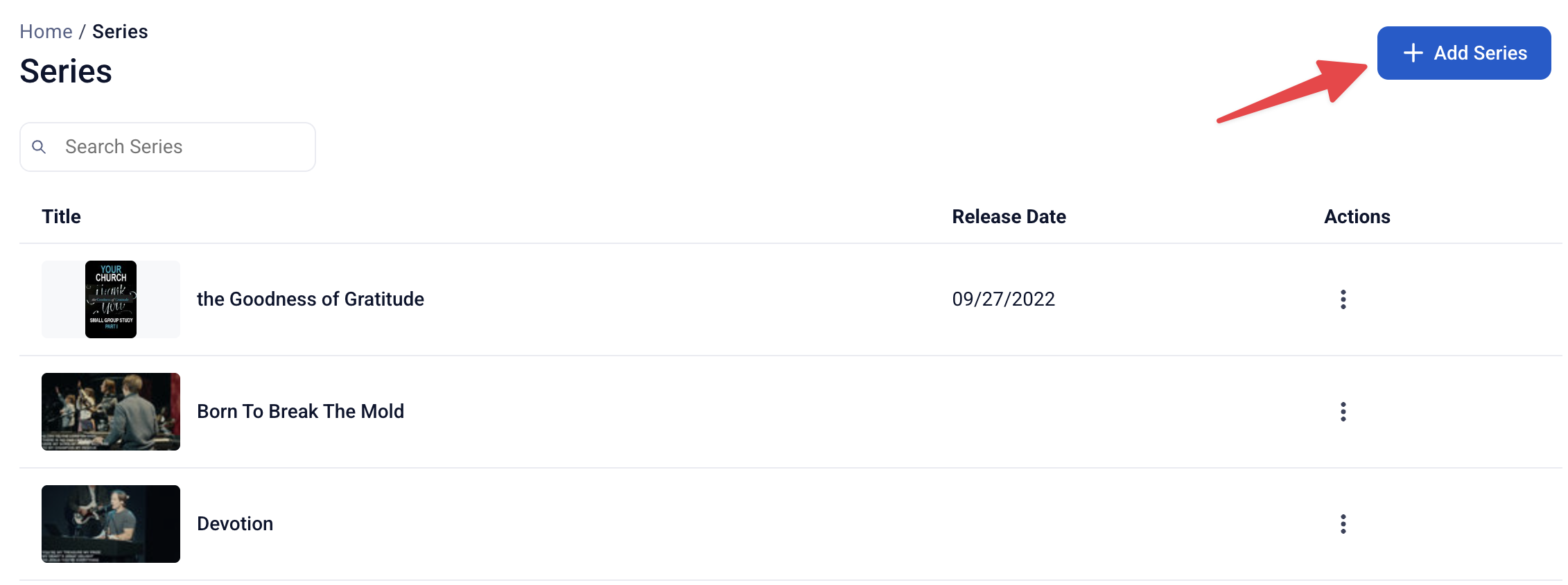
2. In the upper right corner, click on “Add Series”
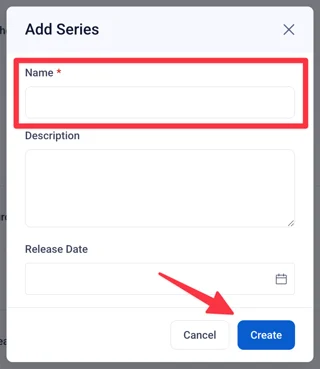
A modal will appear. Enter in the following information:
- Name: A name for the series. This field is required.
- Description: Create a description of the series. This description can let other users or viewers know that this series is for.
- Release Date: Enter in a release date for the series, if one applies.
When you have finished entering the above information, click “Create.”
Editing Series Metadata
Much of the metadata shown here will be reflected on Sardius Channel Layouts (such as Collection) and Mobile/TV apps. Using all fields will maximize the viewer experience.
- Name: Required, up to 100 characters. Descriptive and recognizable to viewers — this is what shows on series cards and pages.
- Release Date: The Series' start date, if relevant.
- Subtitle: Optional short line.
- Images: Click Add Image to upload artwork for this Series. See Recommended Image Sizes for Collection Layout for the image sizes used here.
- Description: The full description shown on the Series page.
- Short Description: A condensed version for cards and previews.
- Category Tags (field name pending confirmation — may read "Series Tags" on the actual Series form): Tags at the Series level, separate from individual asset Tags.
- Category Artists (field name pending confirmation — may read "Series Artists" on the actual Series form): Attach Bios — speakers, hosts, artists, or contributors — associated with this Series as a whole.
- Approved: Toggle. An unapproved Series won't display on your site, same as an unapproved Category or asset.
The one rule that matters most
An asset can belong to more than one Category, but only one Series (or one Album — never both, and never more than one Series). If you find yourself wanting to tag a single asset with two Series, that's usually a sign one of them should actually be a Category.