
Overview of Your Assets Library
Updated 1 min read
More in AssetsYou’re on: Overview of Your Assets Library
The Assets feature in the Sardius Control Panel is a way to manage your media assets (video, audio, images) and add layers of data and metadata to each asset. You can organize your content by a wide variety of fields and enter metadata to provide a way for thorough searching.
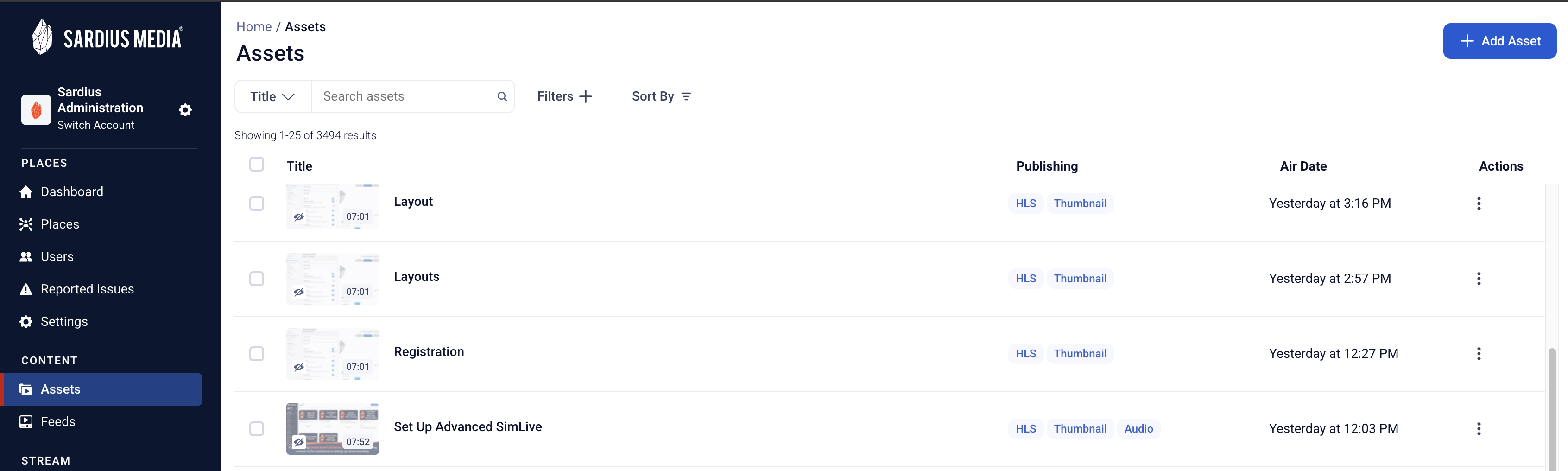
From the Assets library, you can:
- Create new assets (video, audio, images) by importing or linking existing public-facing assets
- Approve content for use in Channels or as iFramed content outside of the platform
- Clip, download or clone assets for use as Video on Demand content or as social media posts
- Add searchable metadata to your assets that can be used with an API
- Restrict or approve assets for public view
- Update your Settings preferences to ensure you only see metadata that is relevant to your user profile
Quick Links
Did this answer your question?
One click tells us which pages to fix first.