
Feeds: Overview Tab
Updated 1 min read
More in FeedsYou’re on: Feeds: Overview Tab
A feed's overview tab provides a quick view of what types of assets make up the feed and the metadata attached to those assets.
Assets: displays a quick view of the type and number of assets that exist in the feed
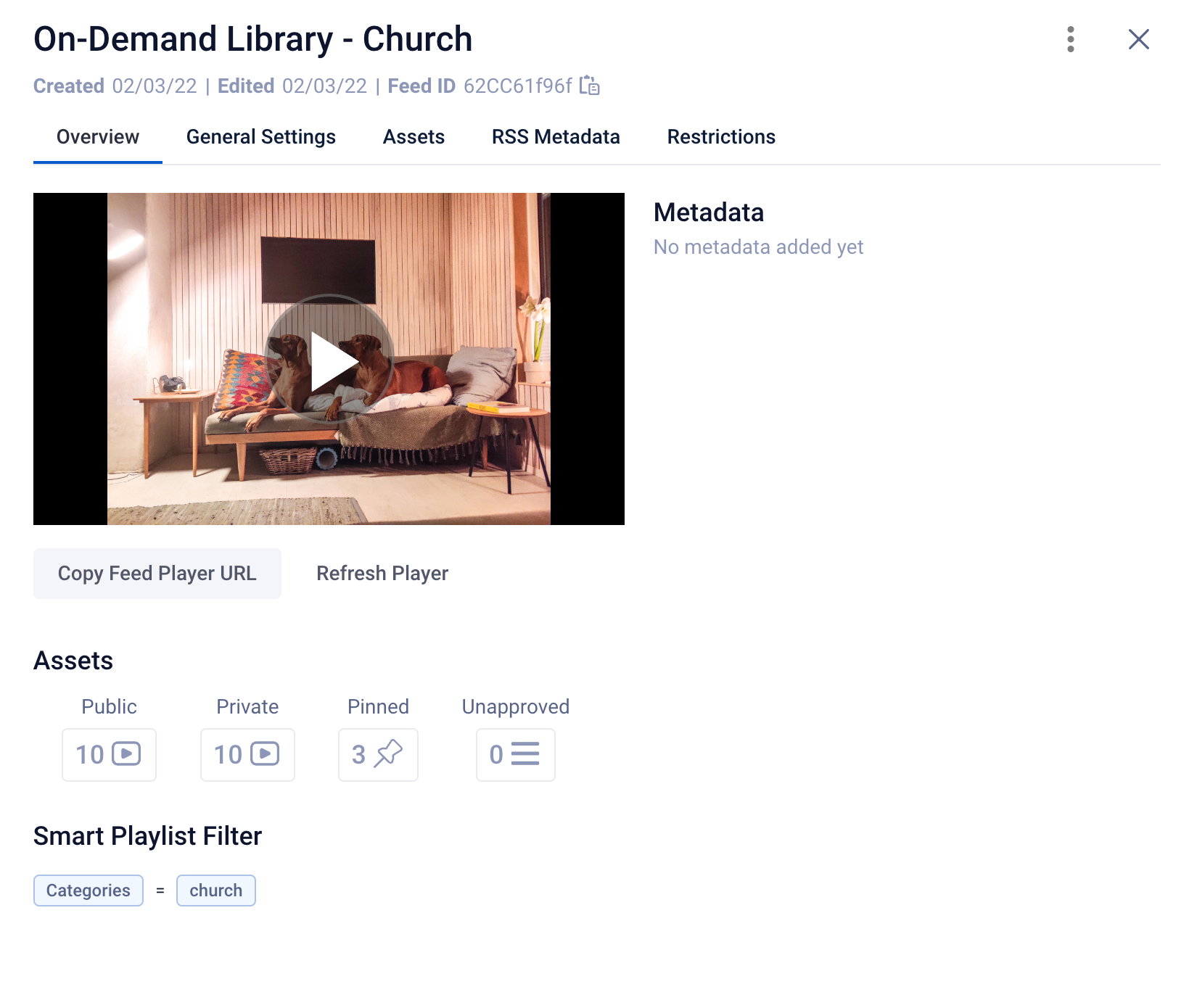
- Public: How many Unrestricted assets are in this feed.
- Private: How many Restricted assets are in this feed.
- Pinned Assets: How many assets you have pinned in the feed. Note: Any assets that you manually add to a feed will be Pinned Assets.
- Unapproved: How many assets exist in your feed that have not yet been approved. Note: Unapproved assets are not visible to Viewers, even if they are added to a feed. You must approve assets to make them visible in the feed.
Smart Playlist Filter: Displays the query you have set on your smart playlist. Note: This feed will pull in all assets that match the query set here.
Metadata: displays a quick view of the Tags & Speakers metadata included within the assets in the feed.
Example of how these will appear:
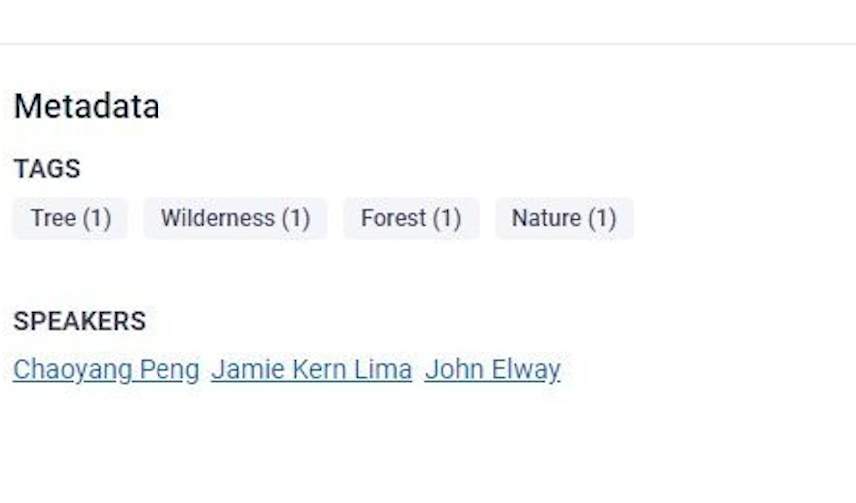
- Tags: Shows which tags are contained in this feed's assets, and how many assets have each tag.
- Speakers: Shows which speakers are included in this feed's assets. Note: these links will take you to the Bios interface in the Control Panel so you can see these bios in more detail.
Did this answer your question?
One click tells us which pages to fix first.