
Using Outputs with Sardius HLS Entrypoint
Updated
Sardius HLS Entrypoint is a robust platform that allows for custom bitrates, resolutions, multiple audio languages, and more. In addition to manual setups, you can pair your encoder with our system so Sardius can automate your streaming events from start to finish.
Along with the Sardius web player, our system can also automate additional outputs (such as Facebook and YouTube) sent directly from your encoder.
Before you begin, make sure the outputs you want to use are already in your library. If you haven't created them yet, see:
Where to Make Changes
For All New Events on a Channel
- Open your channel.
- Click Stream in the sidebar.
- Click Edit default settings
- Then click Edit on the Source modal
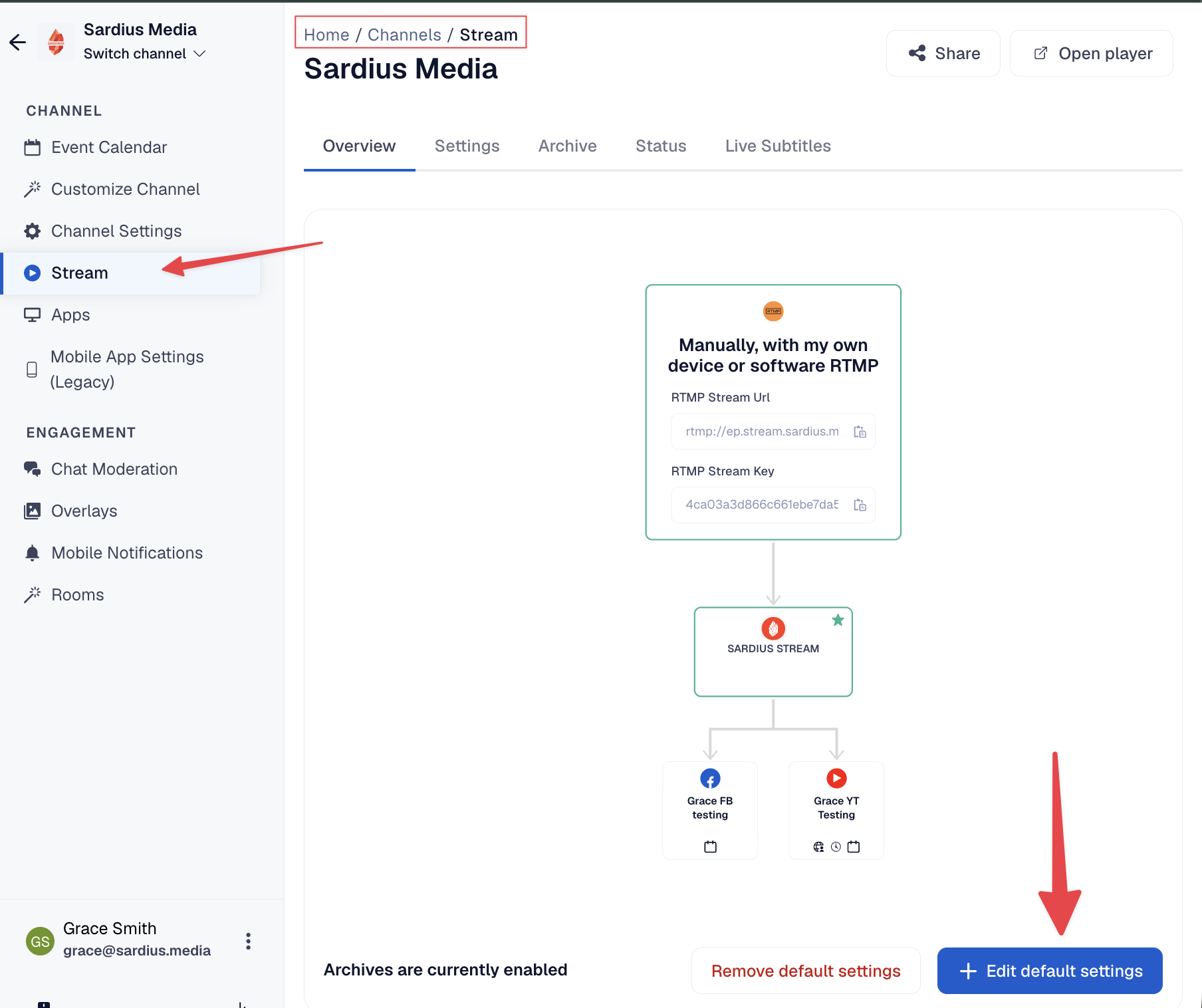
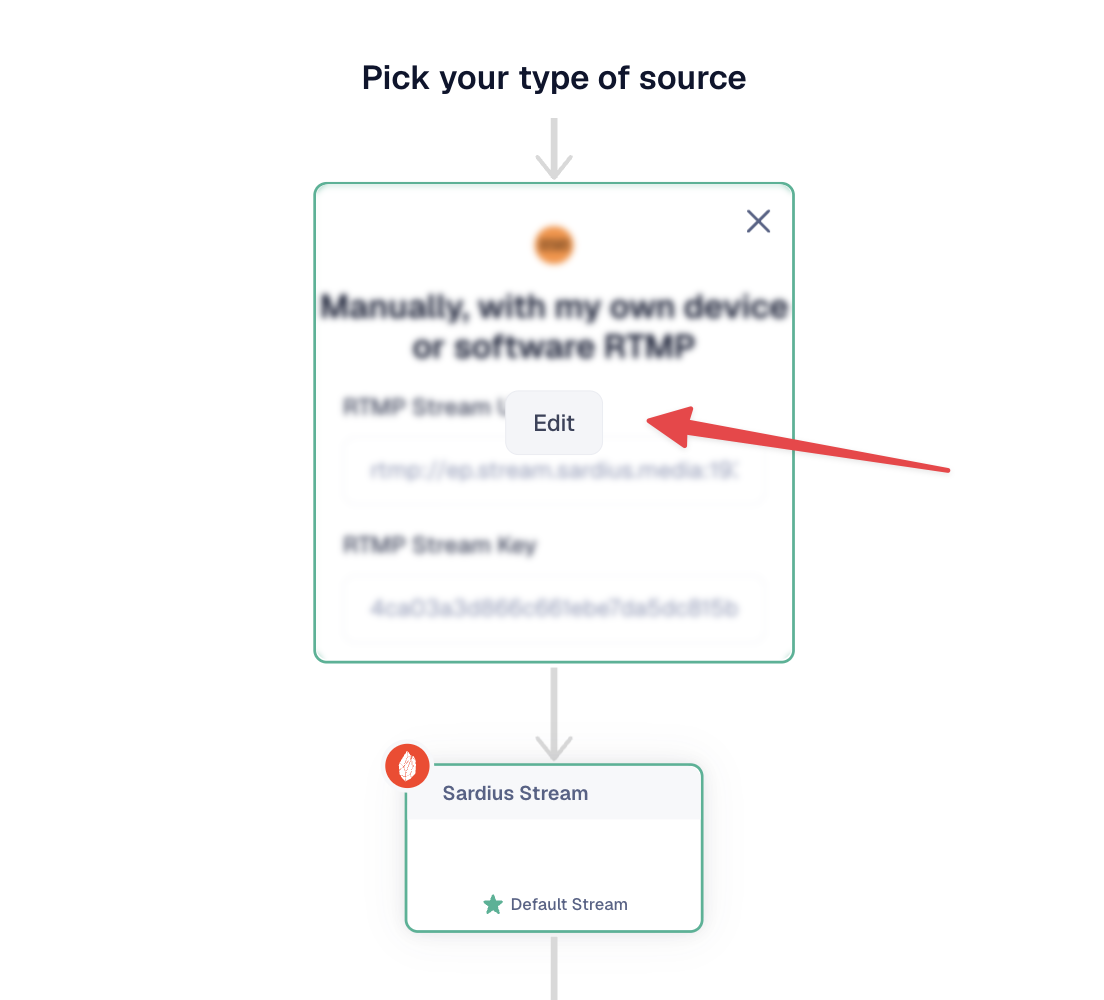
Then continue to Set Up Sardius Entrypoint below.
For a Single Event
- Locate the event on your calendar and click Edit.
- Select the Streaming tab.
- Click Edit default settings.
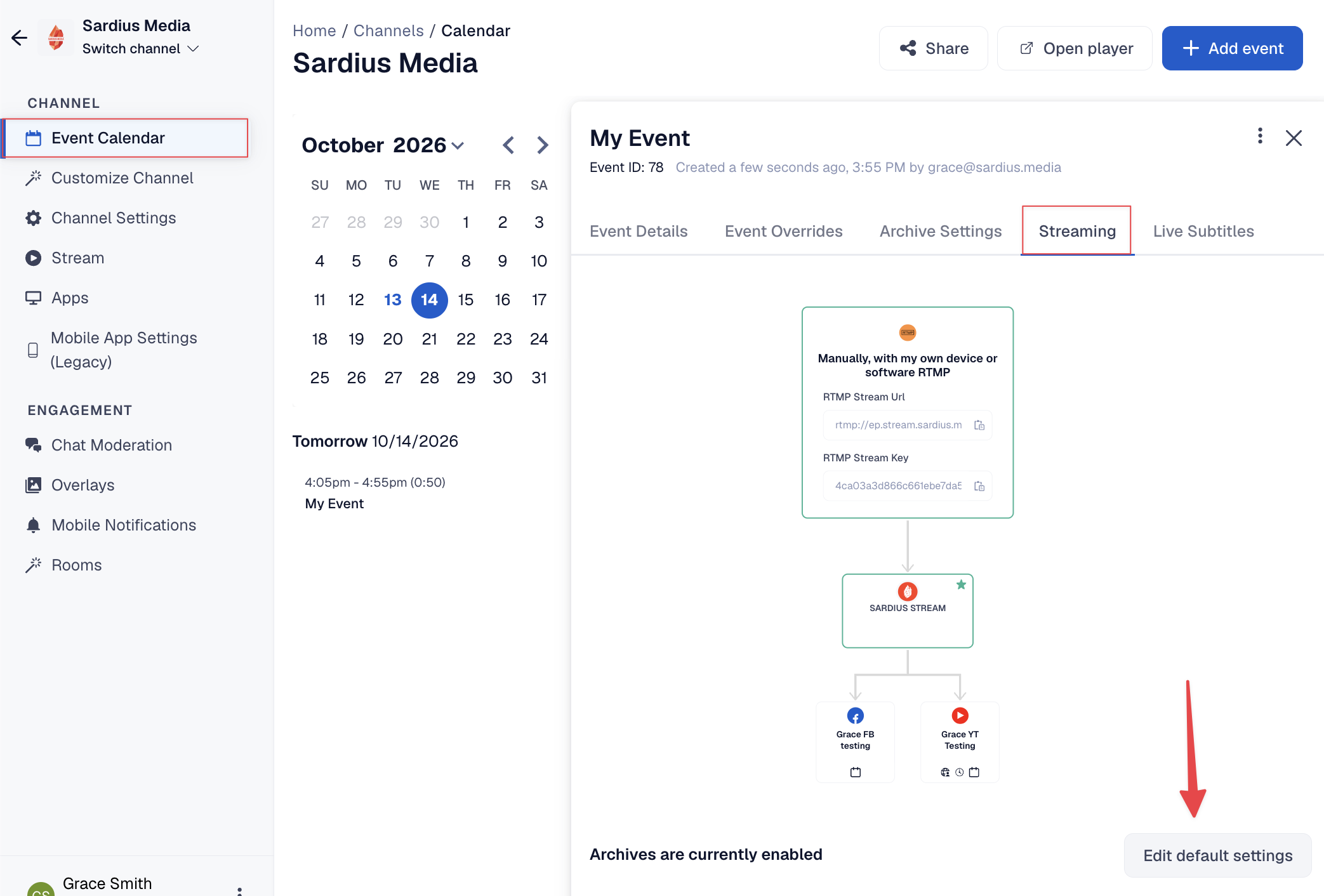
Then continue to Set Up Sardius Entrypoint below. Changes made here only affect this event and won't change your channel's defaults.
Set Up Sardius Entrypoint
If Sardius Entrypoint is already set up as your default stream, skip ahead to Add Outputs from Your Encoder.
- Hover over your Source and click Edit to open the Stream Stepper.
- Select My Devices, then click Continue.
- Select a paired encoder that supports Entrypoint (for example, a Sardius EMLA), then click Continue.
- Select the encoder input that carries your video, then click Continue.
- Select Sardius Entrypoint as your default stream, then click Continue.
- Select your template. The HTTP HD template is selected by default, and only templates that work with your encoder and Entrypoint are shown. Then click Finish.
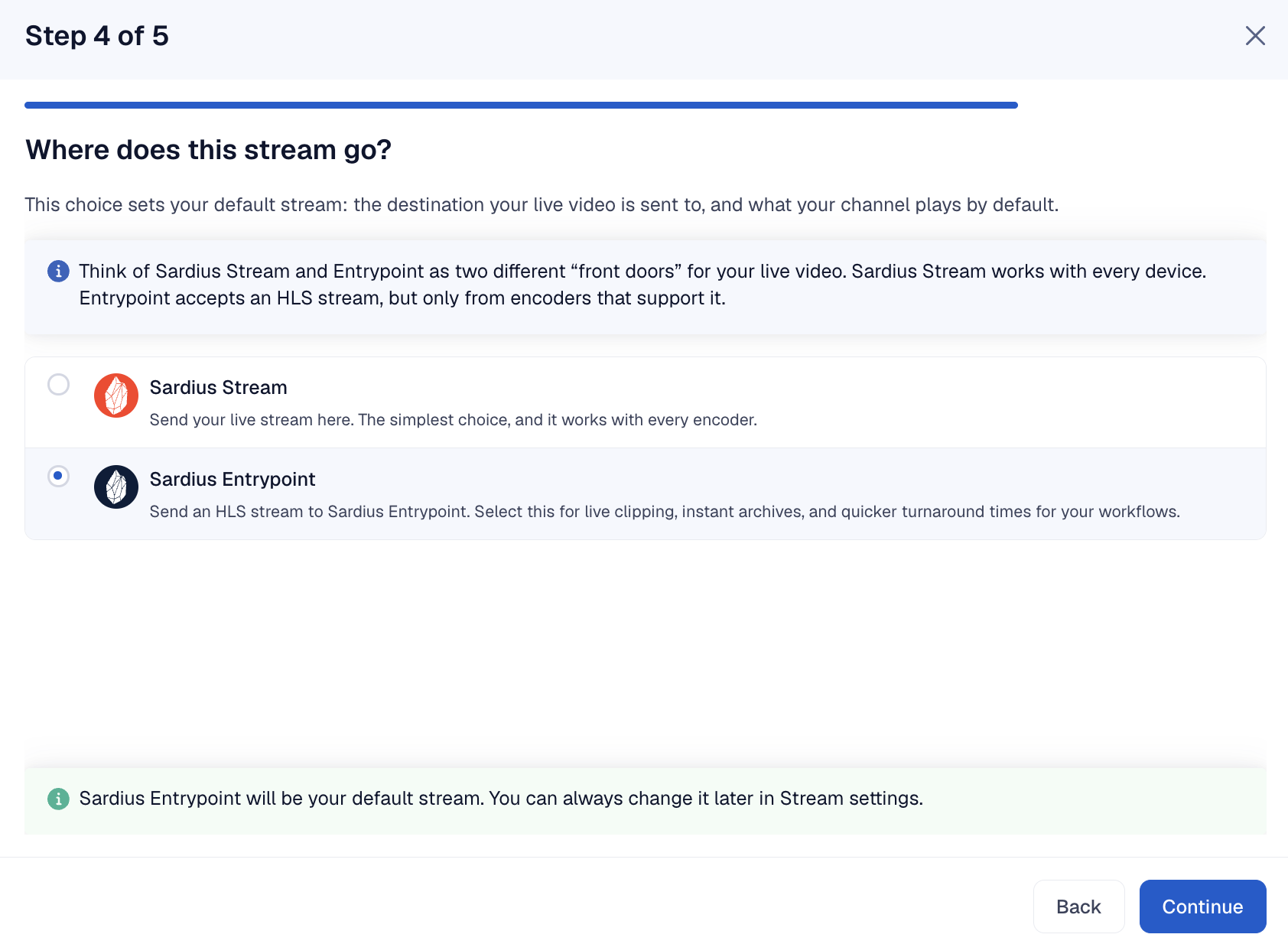
Add Outputs from Your Encoder
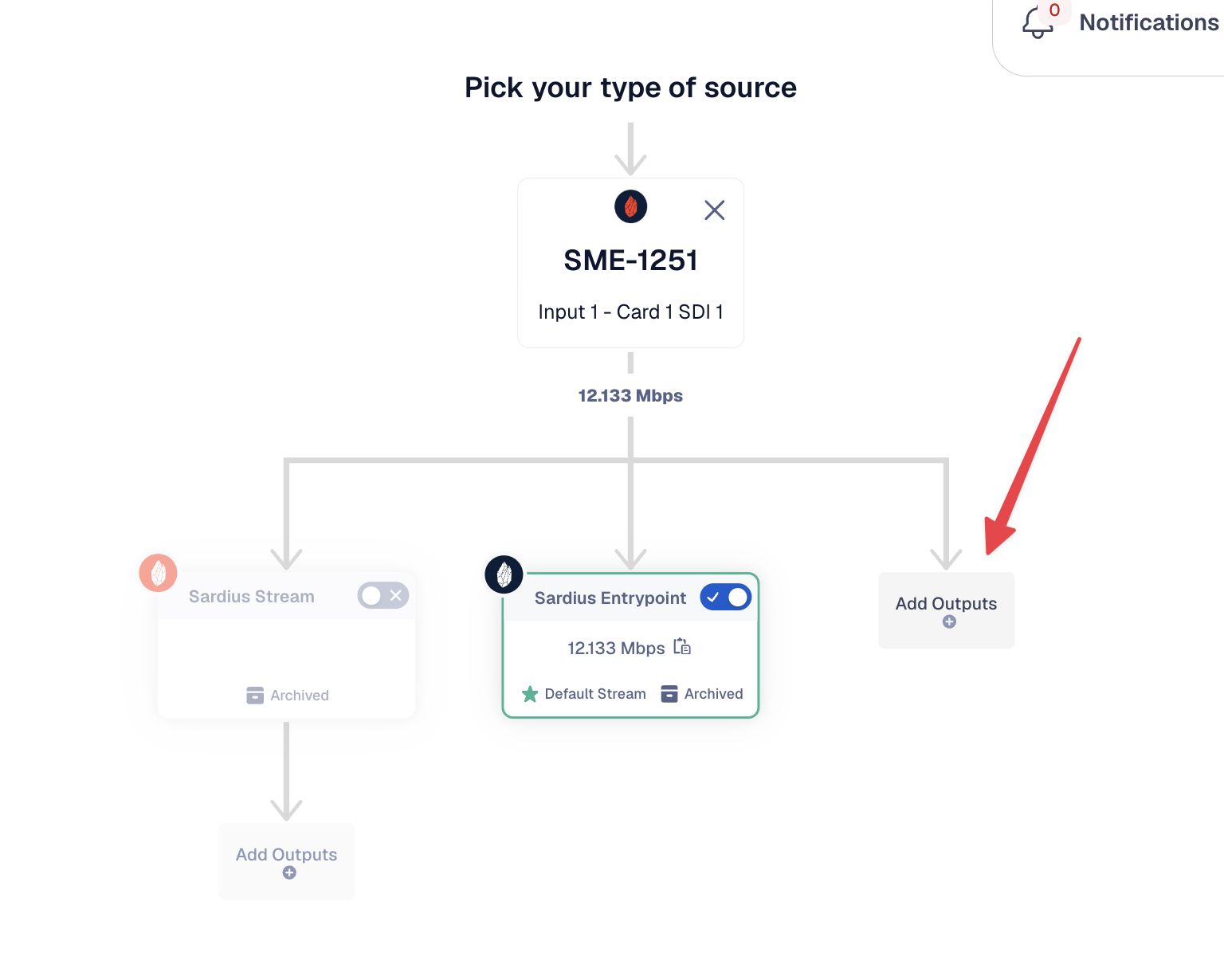
- In your stream overview, click Add Outputs.
- Select all the outputs you'd like to stream to.
- Review your setup, then click Save.
For more on default stream settings and the Stream Stepper, see Setup and Change Default Stream Settings.