
Override Stream Settings for an Event
Updated
If you've set up your Channel's default stream settings, you can override those settings for any individual event. Your Channel's defaults stay the same for all other events.
Typical Override Cases
Occasionally, an event may need a different source or different outputs. Common reasons to override include:
-
Using a different encoder, such as going live from a location other than your primary venue.
-
Streaming to different outputs than your other events. For example, streaming only to the Channel's default player, or adding external outputs like Facebook or YouTube for one event.
-
Playing back a previously recorded event at a later time. We call this a Simulated Live event.
Before You Begin: Choosing an Asset for Simulated Live
Standard Simulated Live only supports HLS assets. If the asset you want to play uses a different media profile, such as MP4, you'll need to use Advanced SimLive instead.
To learn the difference and which one fits your event, see SimLive Standard vs Advanced SimLive.
How to Override
-
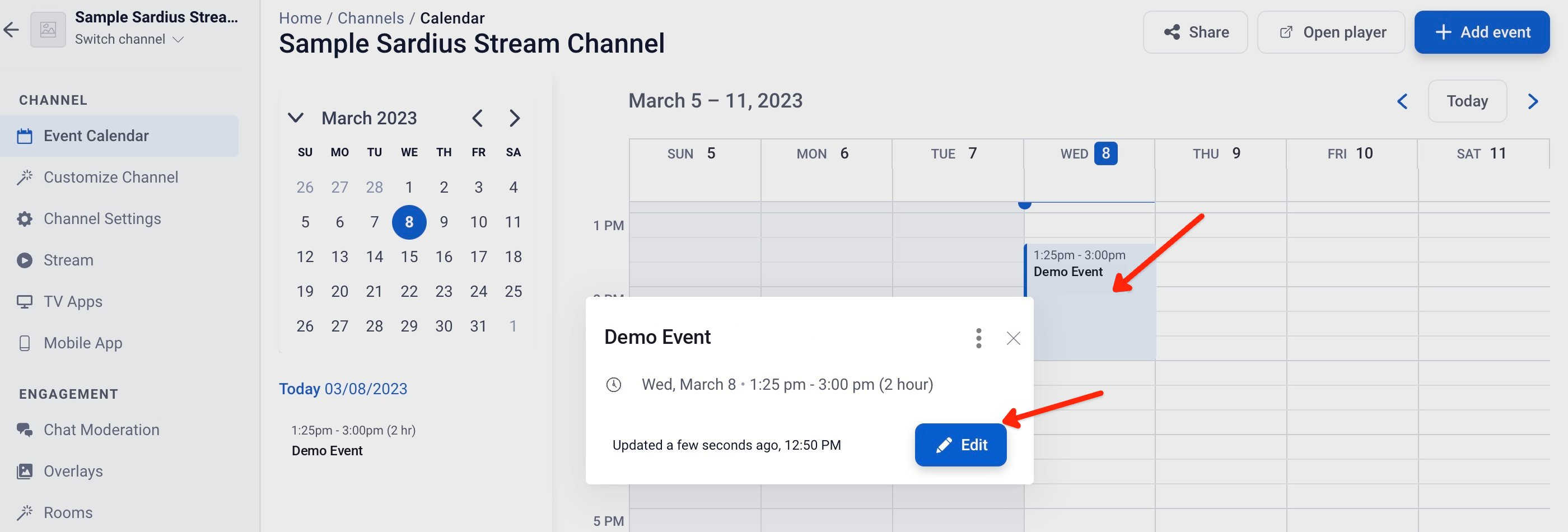
Open your Channel's Event Calendar and locate the event you want to change. Select the event and click Edit.
-
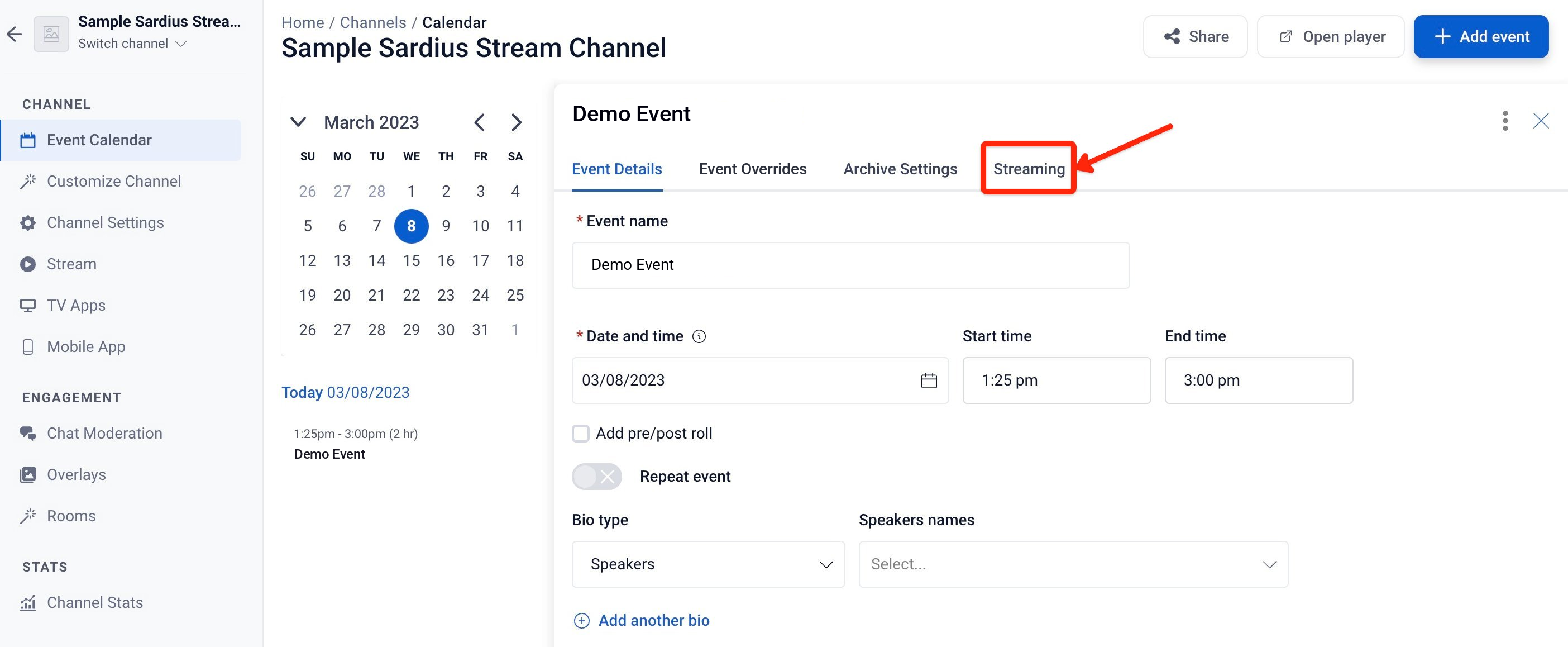
From the event's details page, click the Streaming tab.
-
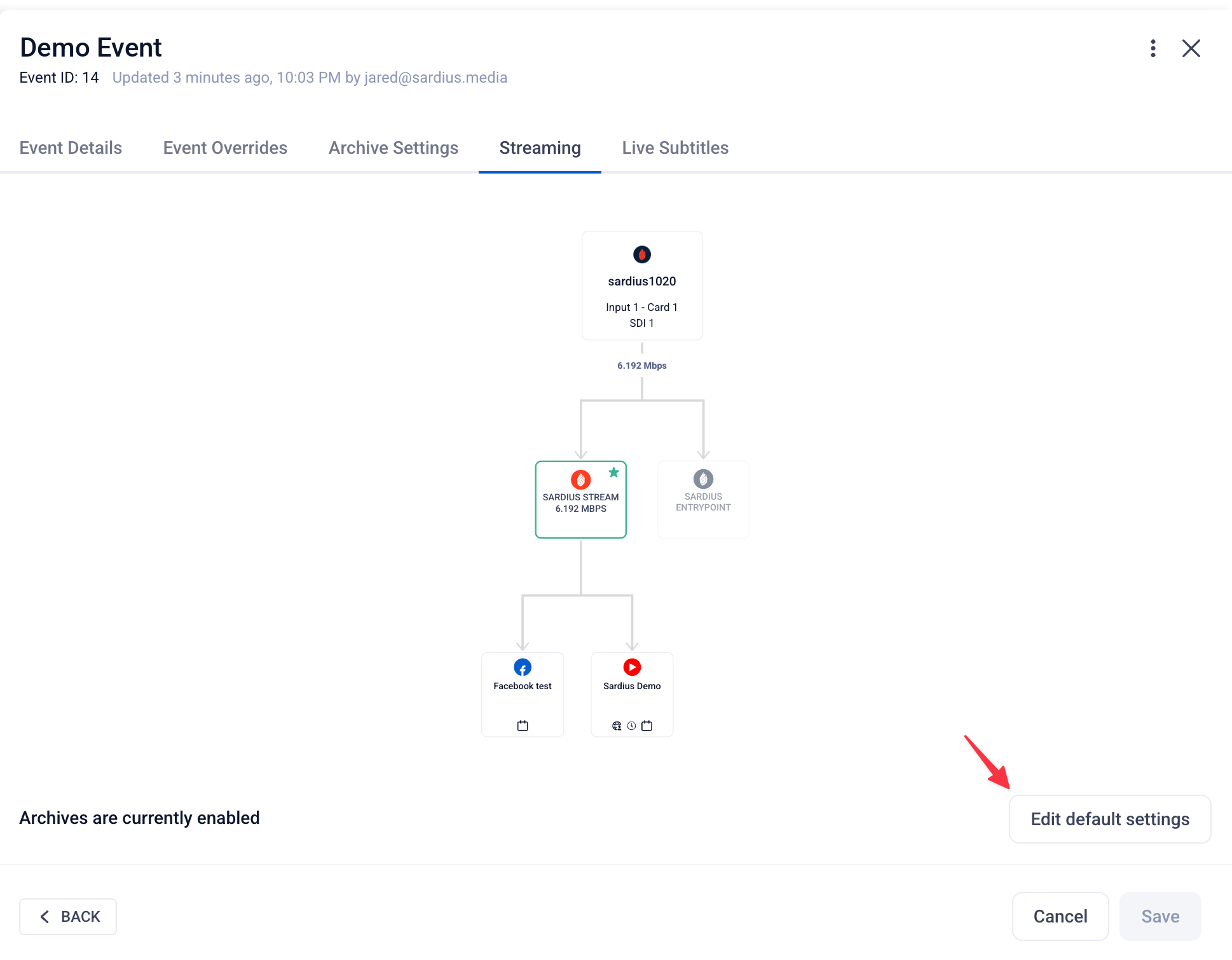
The Streaming tab shows your Channel's default stream settings. Click Edit default settings to open the Stream Stepper.
-
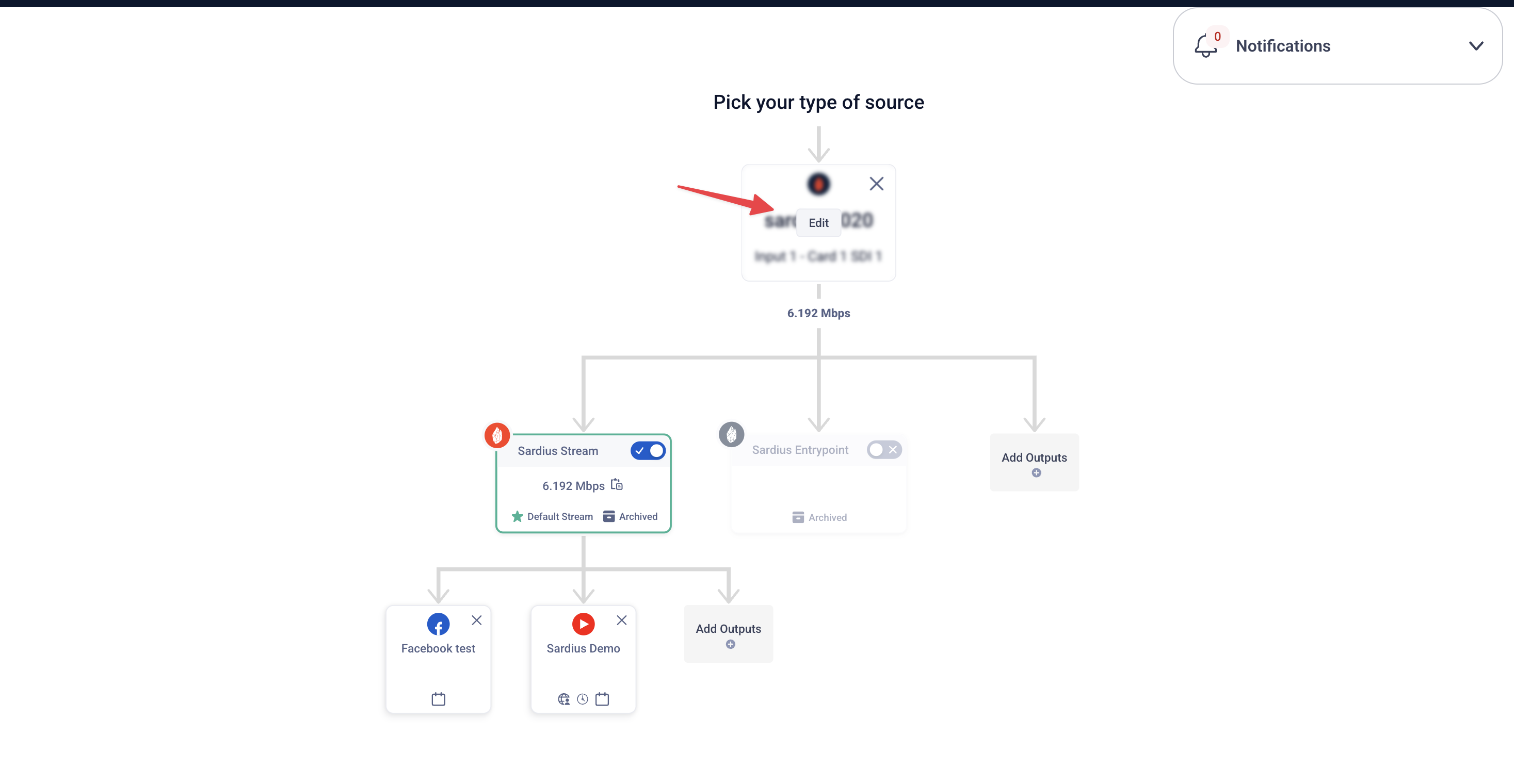
In the Stream Stepper, hover over the default Source and click Edit.
-
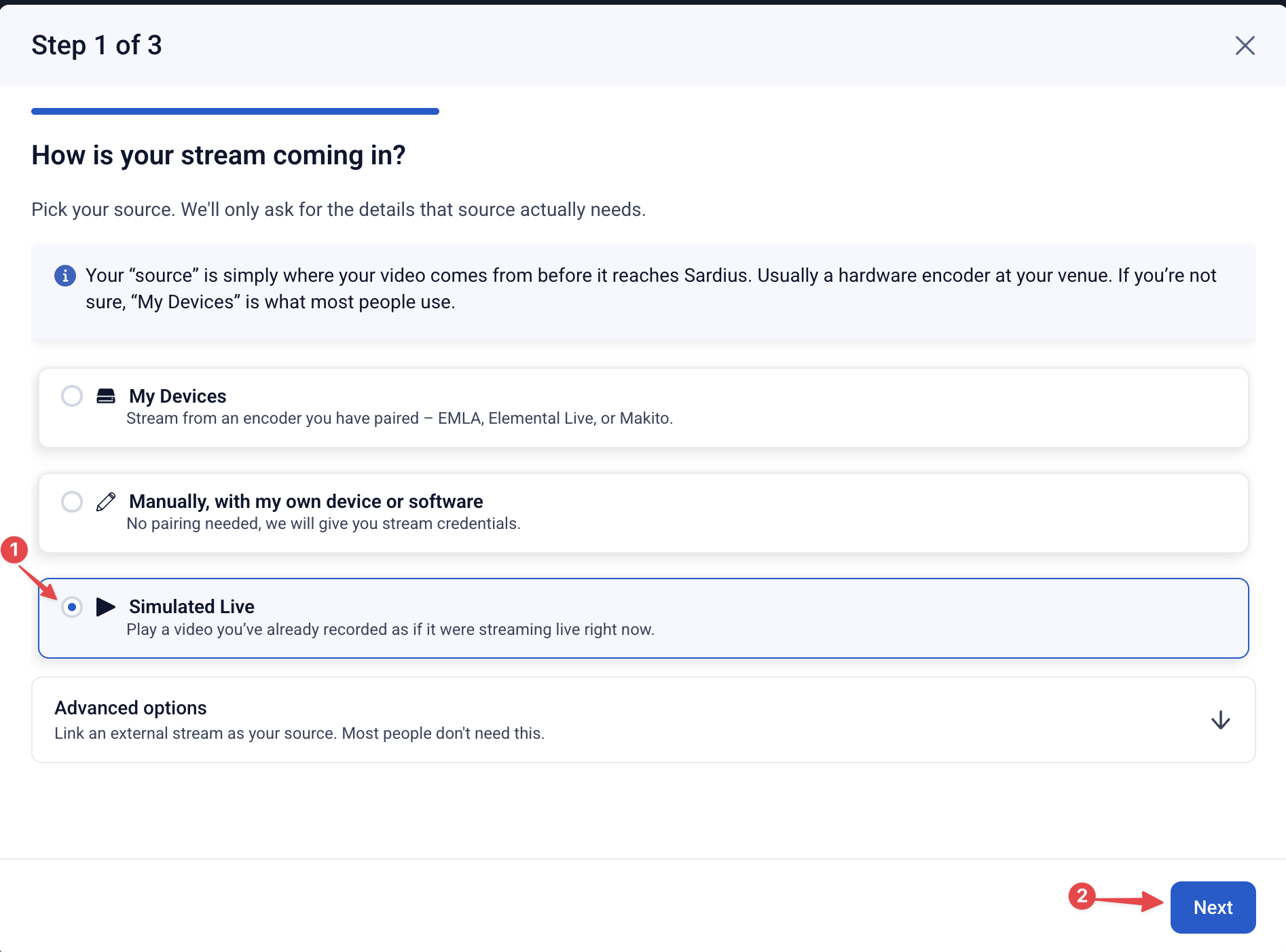
A modal will open asking you to select a new source. For this example, select Simulated Live.
-
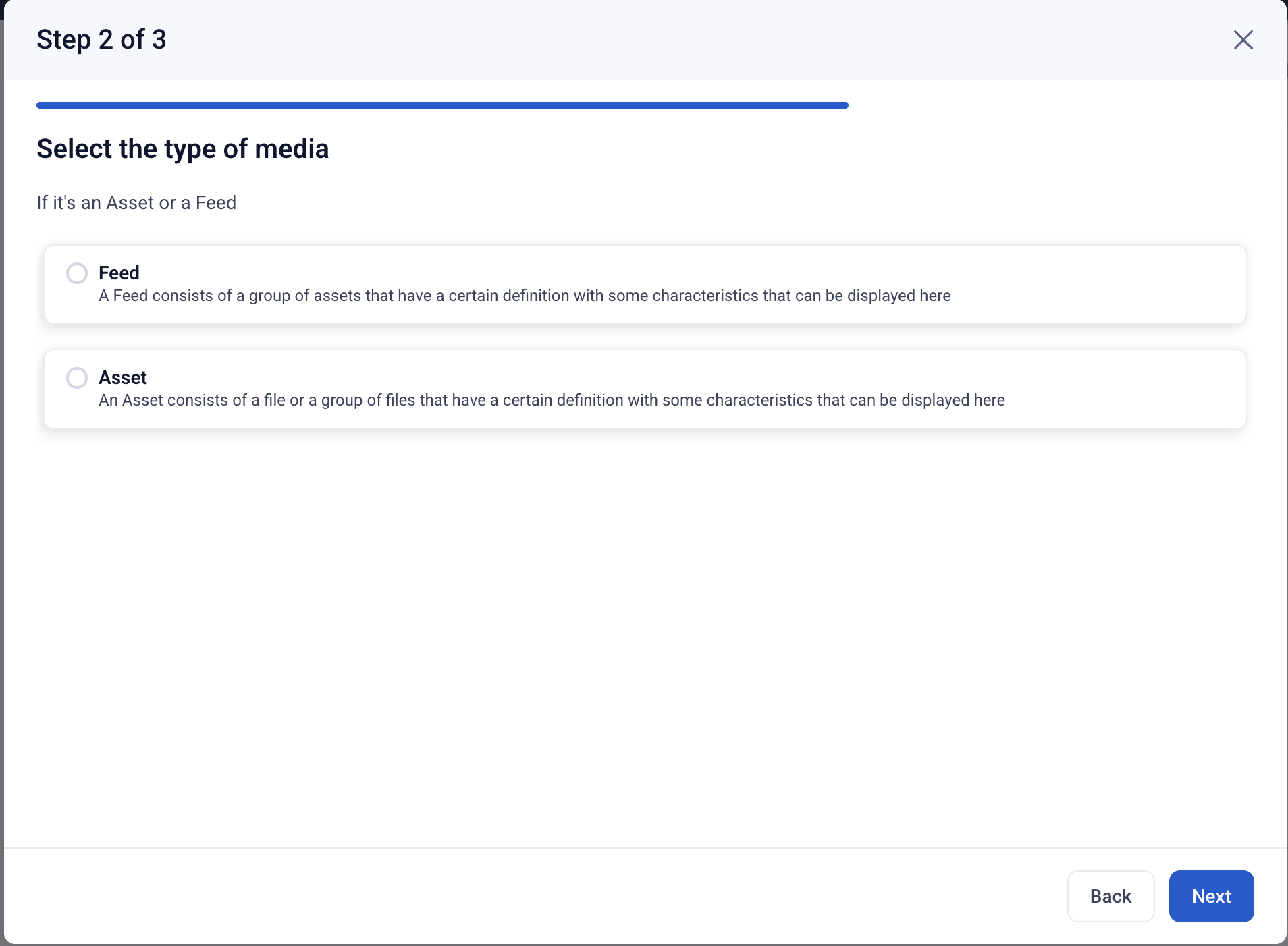
Choose whether to connect an Asset or a Feed to your Simulated Live. The options available depend on your account's features.
-
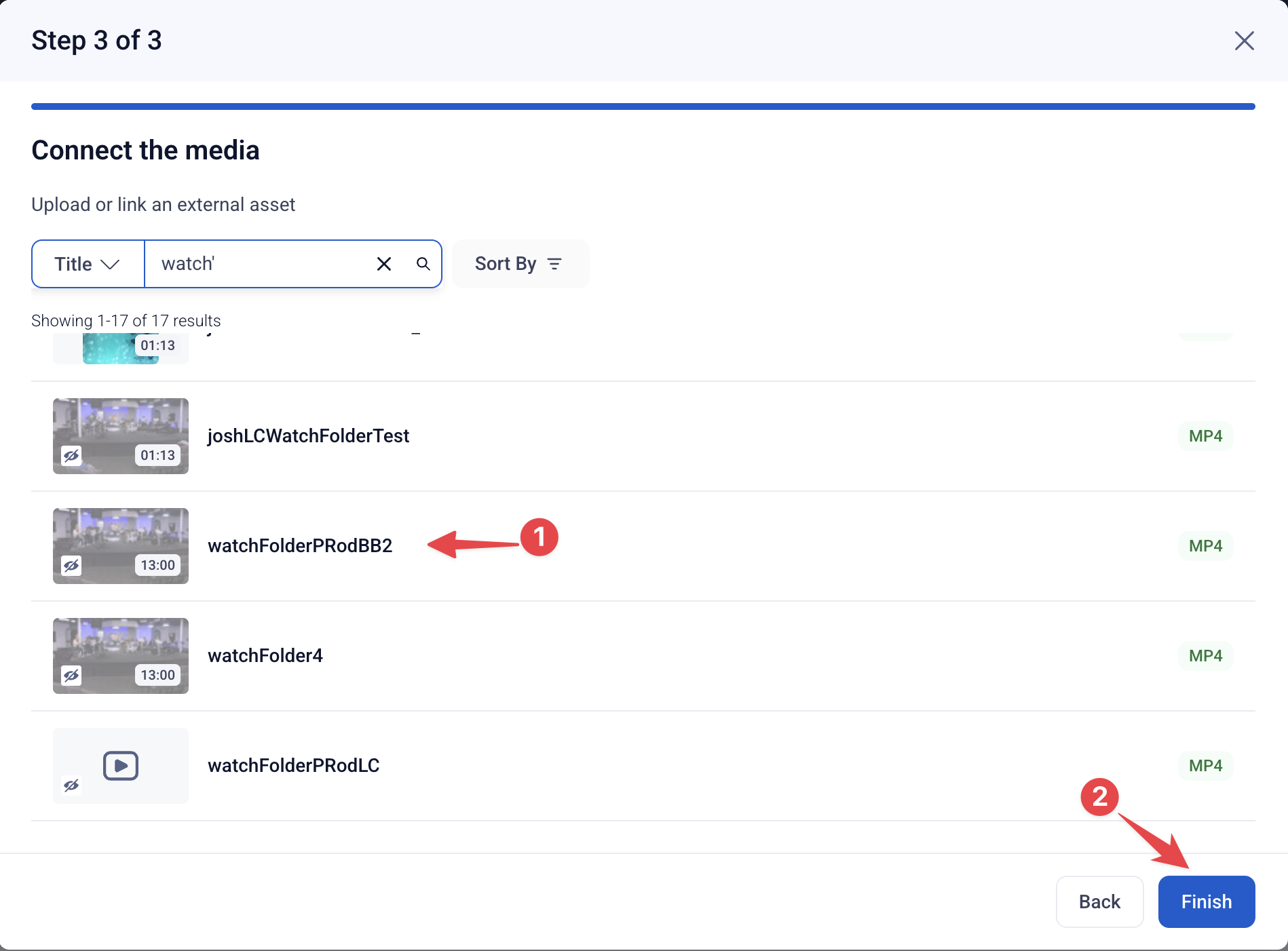
Select the Asset or Feed you'd like to play out, then click Finish. If you're using an Asset, make sure it's an HLS asset (see Before You Begin above).
-
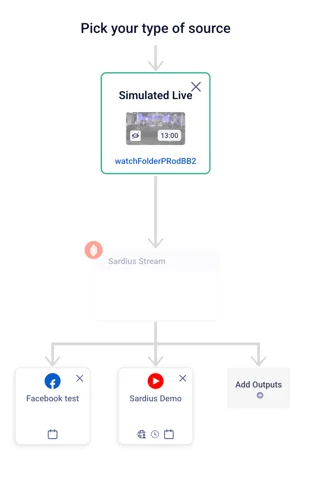
You'll be taken back to the Stream Stepper to review your setup.
-
If everything looks good, click Save in the upper right corner.
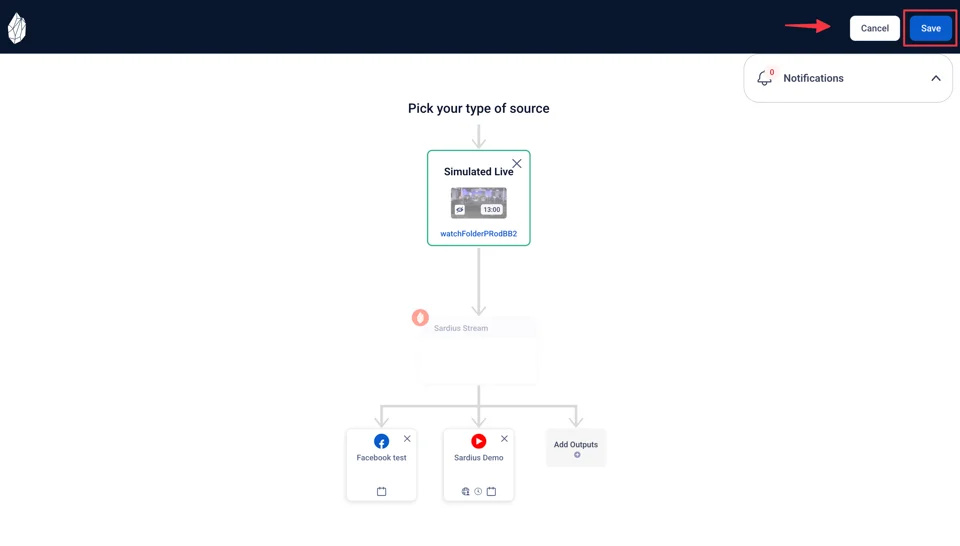
Congratulations! You've successfully overridden the default stream settings for this event. Your Channel's default settings remain unchanged for all other events.