
Release 1.59
More in Most RecentYou’re on: Release 1.59
Welcome to Sardius Control Panel Release 1.59
Released October 12, 2026
AI Curator
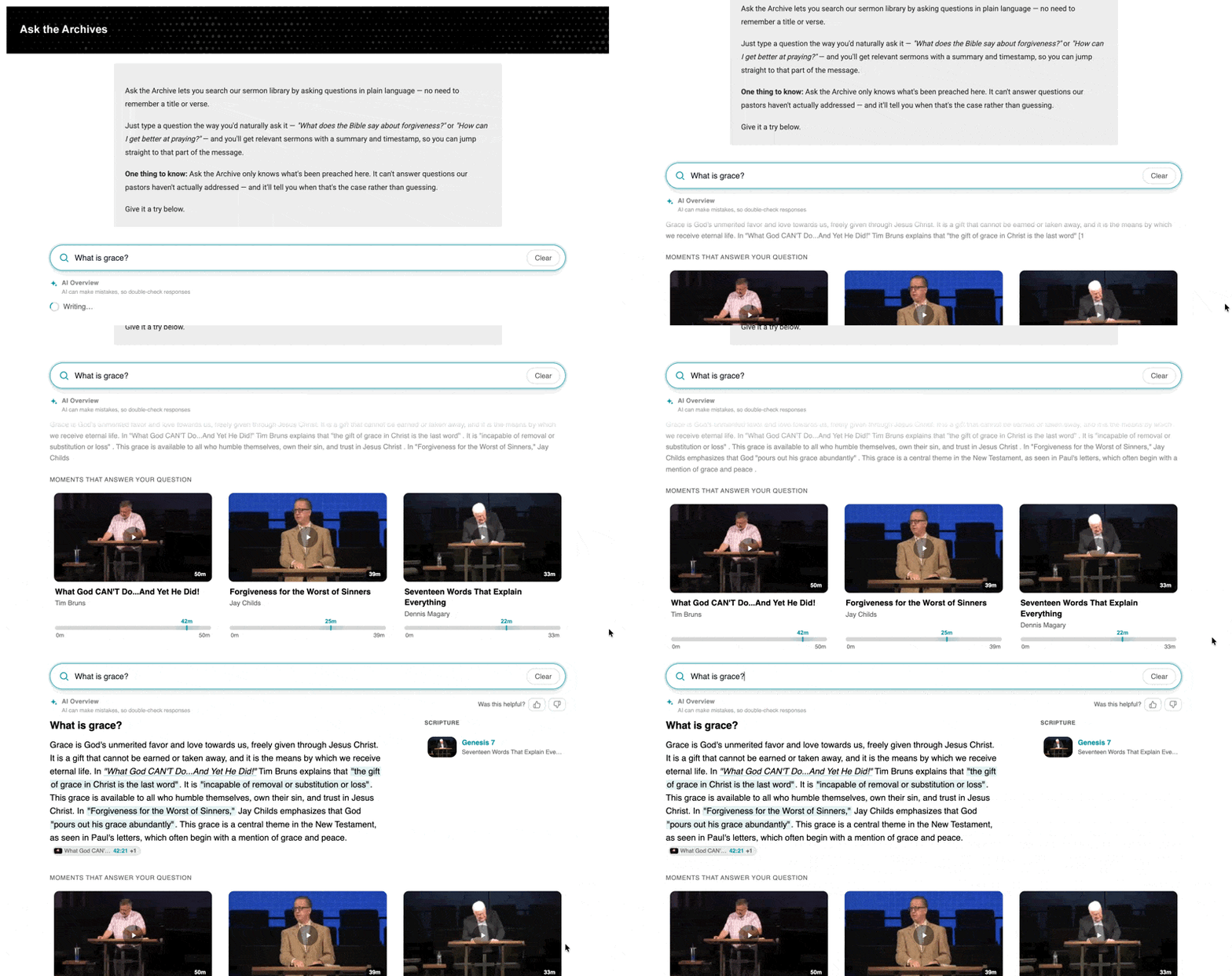
Curator is the third Sardius AI product. Discover finds a moment in the library, Create writes from a single video, and Curator answers questions from the whole library — cited to the exact second. If the library never covered a topic, Curator says so rather than inventing an answer.
How the pieces fit:
-
Feed — The library Curator searches. An embed answers only from its attached feed, and AI Discover must finish processing that feed before Curator can find anything in it.
-
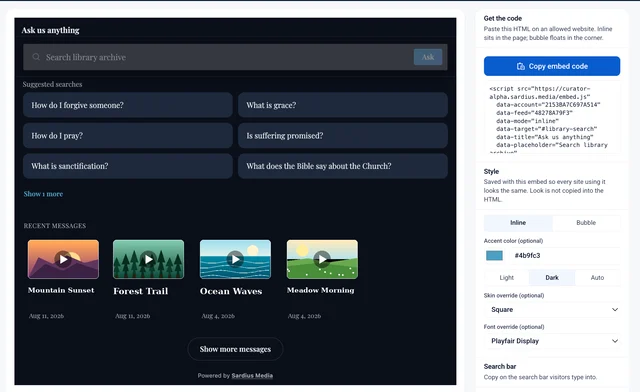
Embed — The widget placed on a client's website. Each embed has its own feed, look, and answer settings, and clients can create more than one.
-
Website allowlist — The widget loads only on domains the client lists. Sardius sites are allowed by default; at least one client domain is required to finish first-time setup.
-
Advanced Settings — Controls match quality and how sources and clips are displayed. Applies account-wide unless an individual embed overrides it.
-
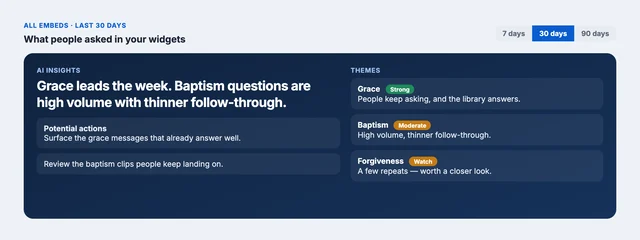
Insights (what people asked) — An AI-generated brief with themes and potential actions, question and unanswered counts, answer-fit scores, a funnel from question → answer → playback, time and location heatmaps, clip candidates (most-cited moments, linked to the Clipping tool), workhorse titles that power the most answers, and content-gap reporting.
To learn more about AI Curator, click here.
Other Improvements
- Makito X and X4 Templates now offer a "AUTO" option for Framerate — the encoder can now utilize the native framerate of the input signal instead of being constrained to an incompatible signal type.
- User Preferences follow the user — SCP preferences were previously stored in the browser and lost when switching computers or browsers. They now save to the user's SCP account.
- Player Editor Updates — All five options in the Appearance Settings (Quality, Languages, etc.) can now be renamed to refine the viewer experience.
- Transcoding Improvements — Assets now autorefresh when a media profile has finished transcoding. Edits to the asset are also locked during transcoding, preventing accidental metadata loss.
- Media Badges — The Asset Library now displays now shows badges for formats actually present on the asset, rather than applied Media Profiles. This will help users avoid unnecessary transcode processes.
- Filter Assets by AI-Indexed Status — Adds a way to filter the Assets library by whether an asset has been indexed by AI Discover, and limits Discover search results to only indexed assets.
Did this answer your question?
One click tells us which pages to fix first.