
Update Display Engine from 4.7 to 4.8
Updated
Before your Display Engine can be patched, you will need to update your hardware to the most recent software version (4.8.0).
Requirements:
- Updated license for 4.8.0
- .hai Install Bundle for 4.8.0
Both of these items can be obtained by contacting Sardius Support. Please have the MAC address for your Display Engine(s) ready as they will be needed for the licensing process.
Update Display Engine
Using a computer on the same network as the Display Engine, open a web browser and enter in the Display Engine's IP Address. You will need to sign in to the Display Engine in order to continue.
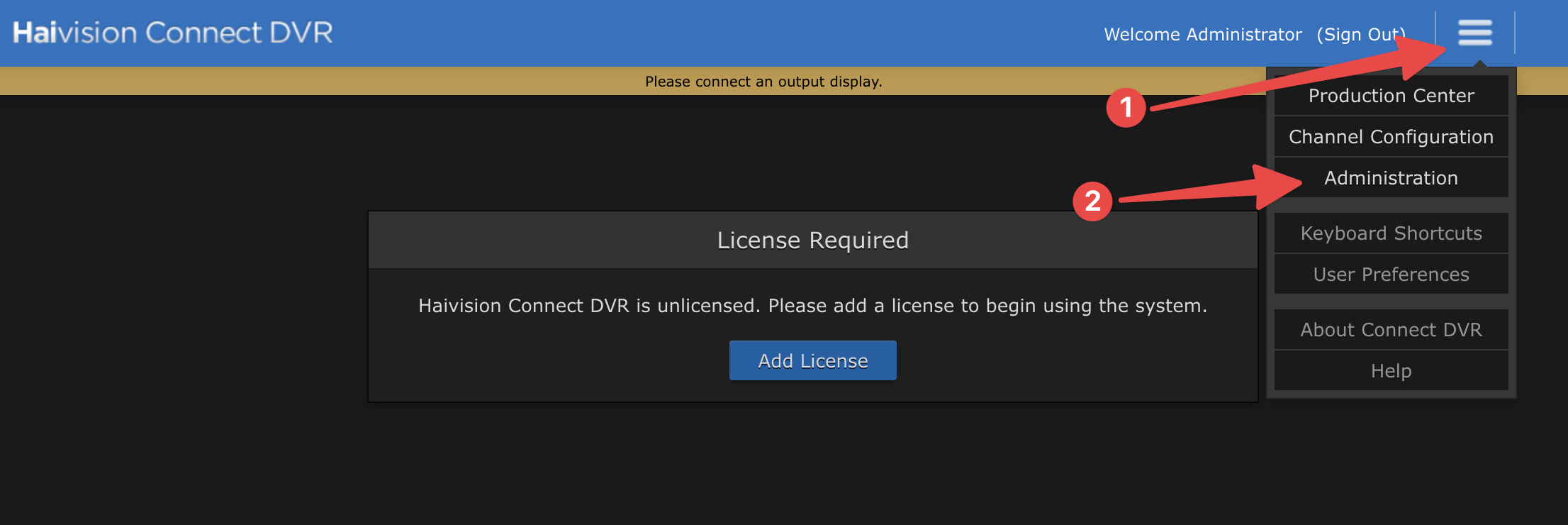
Click on the hamburger menu in the upper right corner and select "Administration."
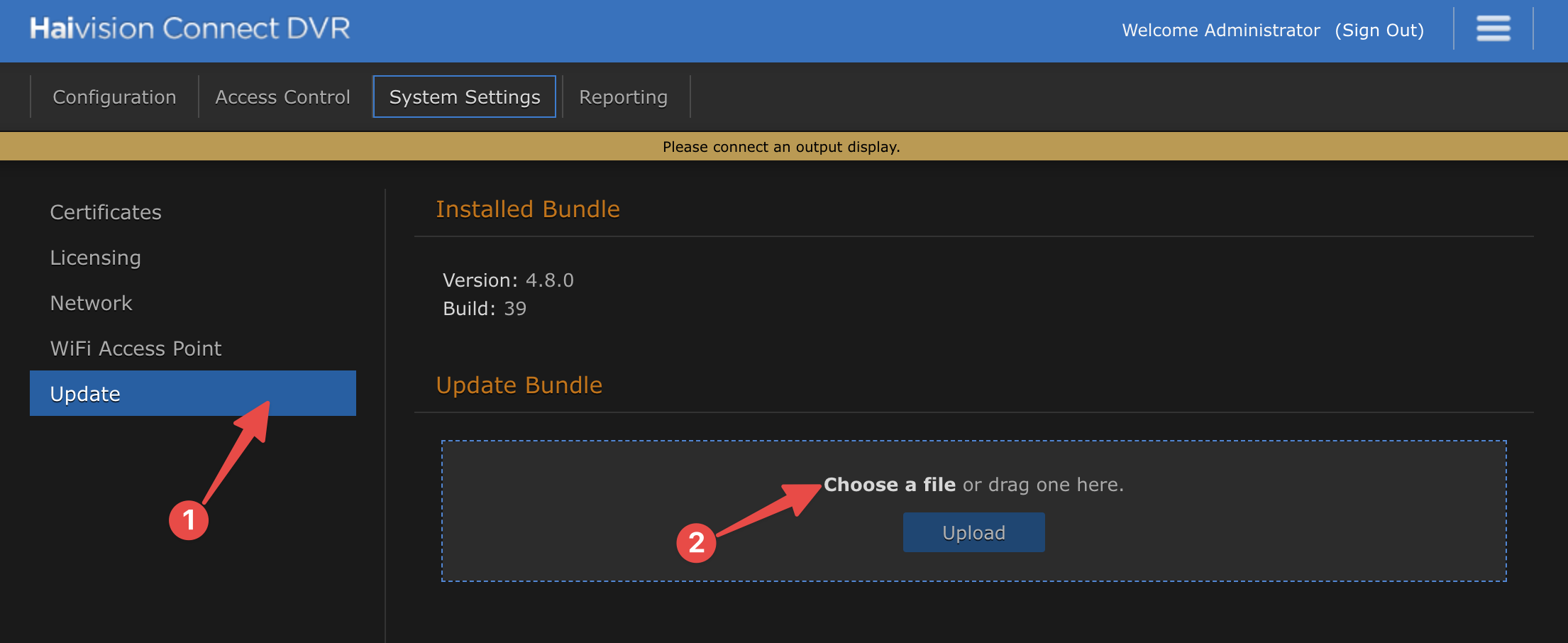
Click on "Update" on the bottom of the sidebar.
Drag and drop the .hai bundle into the "Update Bundle" field or click "Choose a file" and navigate to where you downloaded the bundle.
The bundle will start to upload. Do not close this window during the upload process.
The upload process may repeat a couple different times until the file is fully uploaded.
Once it is fully uploaded, you will be given the option to install the bundle. Click the button to proceed.
When the installer finishes, the Display Engine will reboot. Log back in and check the Update screen to see what bundle is installed.
Congratulations! Your Display Engine is now ready to be patched to Build 43!
If at any time you require assistance, please reach out to Sardius Support.