
Explaining Media Profiles
Updated
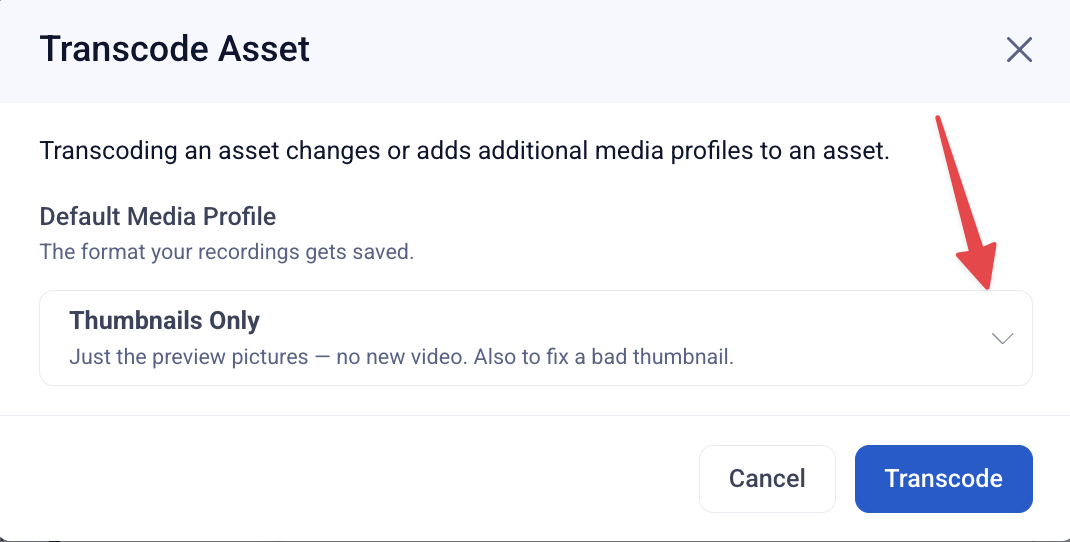
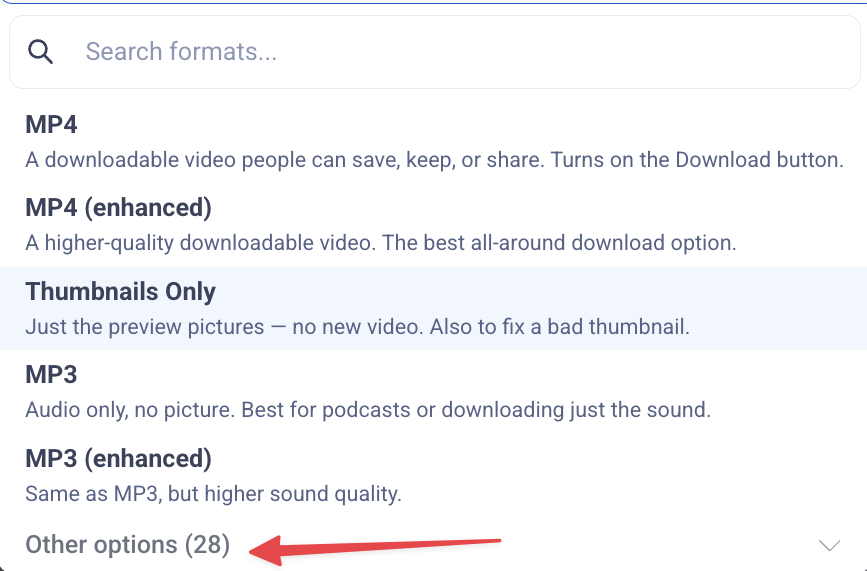
When you upload or record media in Sardius, you’ll choose media profiles that determine how your content is processed, played back, and downloaded. Each profile serves a different purpose depending on how you plan to use the asset.
This article explains
-
The difference between MP3, MP4, HLS, and Thumbnails
-
What Enhanced profiles mean
-
Common use cases for each
-
How Transcoded vs Un-transcoded assets work (especially for live stream recordings)
-
Which profile is the most user-friendly
Overview: What Each Media Profile Does:
 MP3 (Audio)
Best used for:
-
Sermon audio
-
Podcasts
-
Audio-only teaching content
-
Users who want a simple download
Key notes:
-
Audio only (no video)
-
Very small file size
-
Highly compatible across devices
MP4 (Video – Download Friendly)
Best used for:
-
On-demand video libraries
-
Downloadable sermon videos
-
Sharing files outside the platform
-
Archival storage
Key notes:
-
Creates one downloadable file
-
Works well on nearly all devices
-
Required if you want a download button
HLS (HTTP Live Streaming)
Best used for:
-
Live streaming
-
Web playback across multiple devices
-
Viewers on unstable, mobile or low-bandwidth connections
Key notes:
-
Media Delivery using Adaptive bitrate streaming (automatically adjusts quality)
-
Not a single downloadable file
-
Ideal for smooth playback, not file distribution
Thumbnails Only
What it does:
-
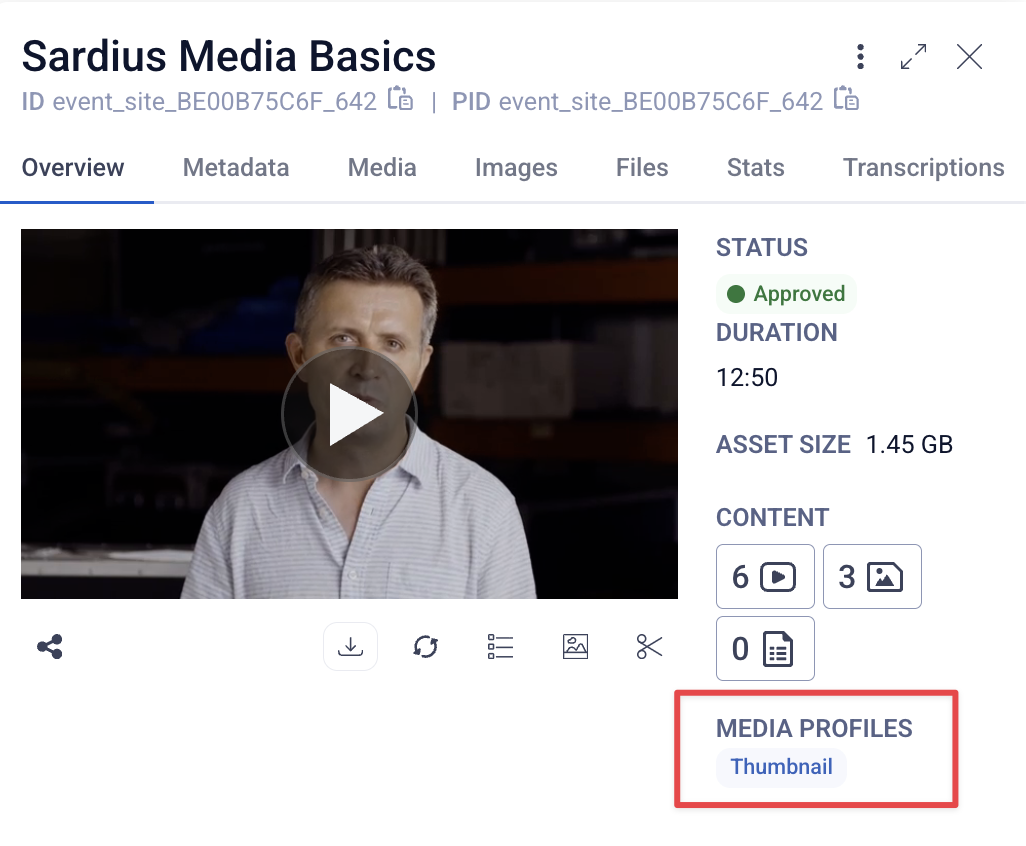
Generates thumbnail images only
-
Does not create a playable video format
Best used for:
-
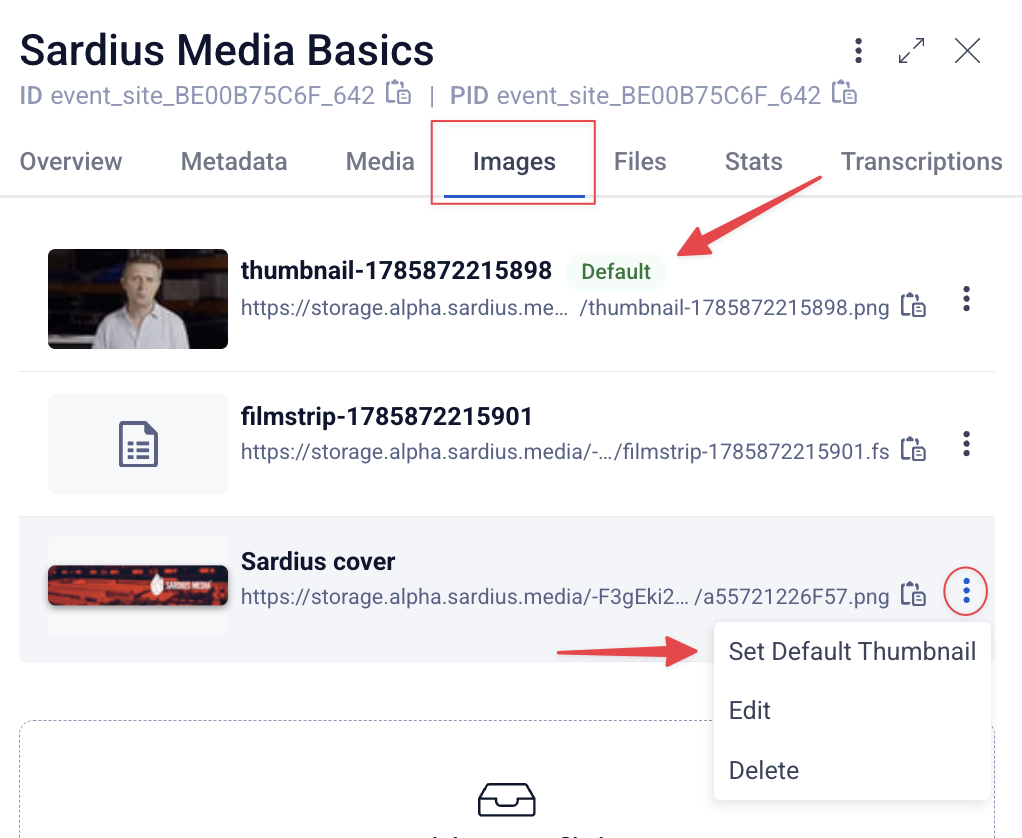
Updating or regenerating thumbnails
-
Fixing missing or incorrect preview images
-
Making visual changes without reprocessing video
Thumbnails are used in:
-
Video grids and collections
-
On-demand libraries
-
Asset previews
-
Player posters before playback starts
If thumbnails are not generated:
-
The video will still play but no preview image will appear in grids or libraries
-
The asset may appear blank or use a default placeholder image
What Does “Enhanced” Mean?
Each MP4 and HLS option may have a Standard or Enhanced version.
Standard Profiles:
-
Supports 720p and older Standard Definition (SD) content in addition to HD content
-
Slightly higher compression quality
Enhanced Profiles:
-
Supports multiple HD workflows
-
Processes more quickly than the standard profiles
-
Are recommended for most HD use cases
General recommendation:
If you’re unsure (or working with a live stream archive), always choose Enhanced.
Transcoded vs Un-transcoded Assets (Important for Live Streams)
This is where things can feel confusing — especially with HLS.
Live Stream Recordings:
-
Any live stream recording is automatically saved as HLS
-
Even if it shows as not transcoded, the HLS playback already exists
-
You do not need to transcode it as HLS again
Why does it say “Not Transcoded”?
Because transcoding controls what formats are generated, not whether the recording exists.
To enable downloads:
-
Transcode the asset as MP4 (Enhanced recommended)
-
This creates the missing downloadable file
-
Once transcoded as MP4, a Download button will appear
Important:
Assets transcoded only as HLS will not show a download option.
Common Use Cases (Quick Reference)
| Goal | Best Profile |
|---|---|
| Podcast or audio-only download | MP3 |
| Downloadable sermon video | MP4 (Enhanced) |
| Live stream playback | HLS (Enhanced) |
| Smooth playback on all devices | HLS (Enhanced) |
| Sharing files outside Sardius | MP4 |
| Archival / long-term storage | MP4 (Enhanced) |
What Is the Most User-Friendly & Downloadable Option?
MP4 (Enhanced) is the most user-friendly option for most clients. Why?
-
Creates a single video file
-
Enables the Download button
-
Works across devices and platforms
-
Ideal for sharing, archiving, and offline viewing
Recommended default for on-demand content:
MP4 (Enhanced)
Pair with HLS (Enhanced) if you also want optimized streaming playback.
Recommended Media Profile Setup (Best Practice)
For most video content:
-
✅ HLS (Enhanced) → best playback experience
-
✅ MP4 (Enhanced) → enables downloads
This gives you both streaming performance and download access.