
New Features
Sardius AI Create
Sardius AI Create expands our AI-powered offerings with a custom prompting system anchored to individual video assets. Users can now create and save custom prompts for any asset, building a library that persists across sessions. Prompts can also generate written and downloadable content files directly from the Asset view.
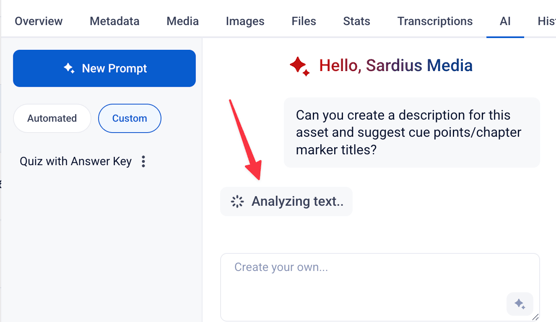
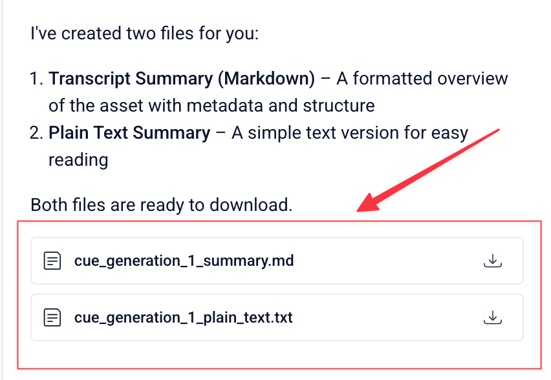
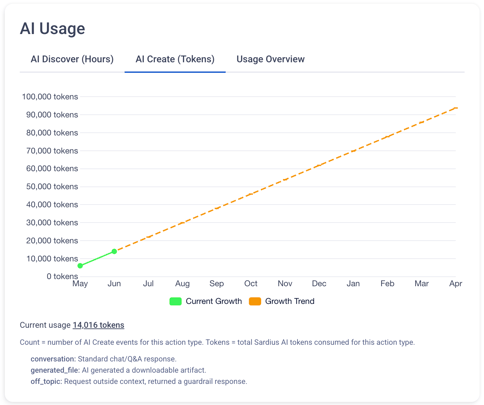
On the governance and visibility side, account owners gain a dedicated AI Token Usage section on the Usage Analytics page. A new role-based permission toggle lets owners control which team members can access AI token-consuming features. The platform also issues proactive token usage warnings at 50%, 80%, and 100% of an account's allocation.
To learn more about Sardius AI Create, click here.
NOTE: Sardius AI Create is a premium feature. To learn more, contact your Sardius Account Manager.
Other Updates
- Rearrange Bitrates/Renditions in Templates — Users can now drag and reorder bitrate renditions in the template sidebar when creating or editing a template, eliminating the need to delete and manually recreate renditions to achieve a desired order.
- Encoder Schedule Conflict Detection — The platform now runs a conflict check at event save time, preventing users from double-booking the same encoder and video input across channels in the same account. If a conflict is detected, the save is blocked with an alert, avoiding silent go-live failures that were previously unreported.
- MakitoX Template Frame Rate Options — MakitoX and Makito X4 encoder templates no longer offer drop-frame rate options (e.g., 29.97) as these encoders only support whole-number frame rates. These encoders automatically round down to a whole number.
- Player URL Domain Update — Player URLs displayed in the Control Panel have been updated to use the cleaner
players.sardius.mediadomain, replacing the previousapi.sardius.media/players/...format. The legacy format remains functional, but the new domain is now the displayed default.
Questions about any of these features? Reach out to your Sardius Account Manager, or you can request a demo by clicking here.