
Defining Common Settings (Turnkey)
Updated
Common Settings is foundational and gives you the ability to enable overlays, set player details, update fonts, add support text and link, and more.
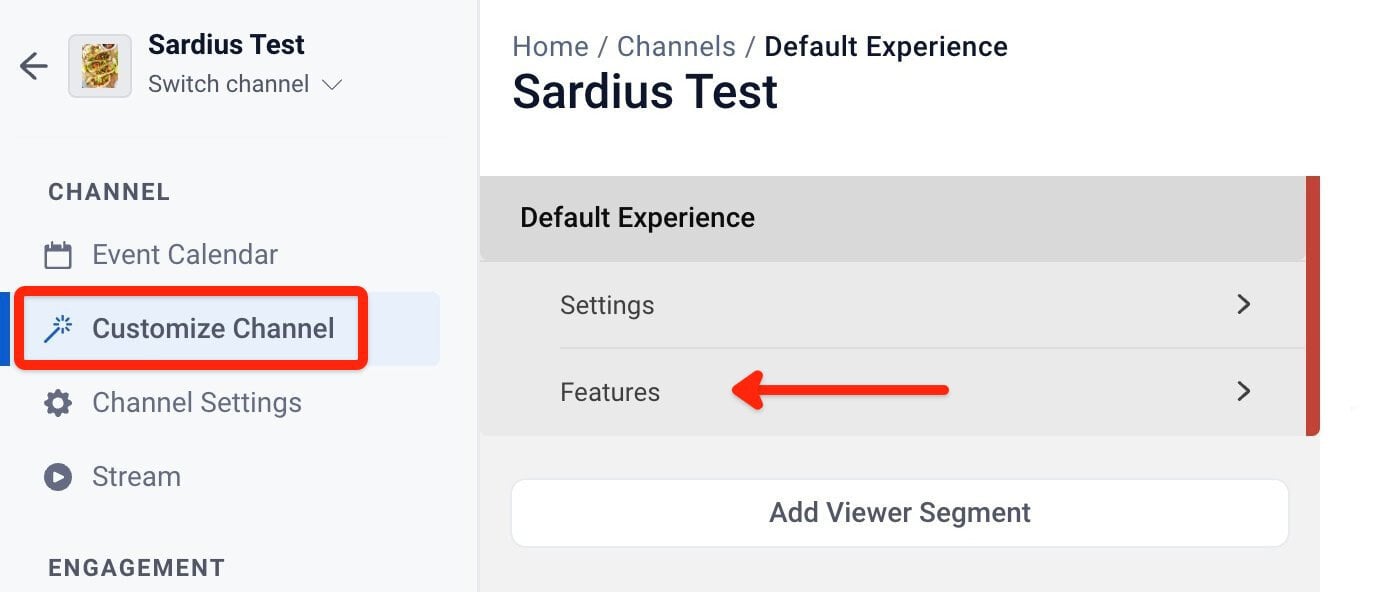
To access the Common Settings area, select "Features" under Customize Channel.
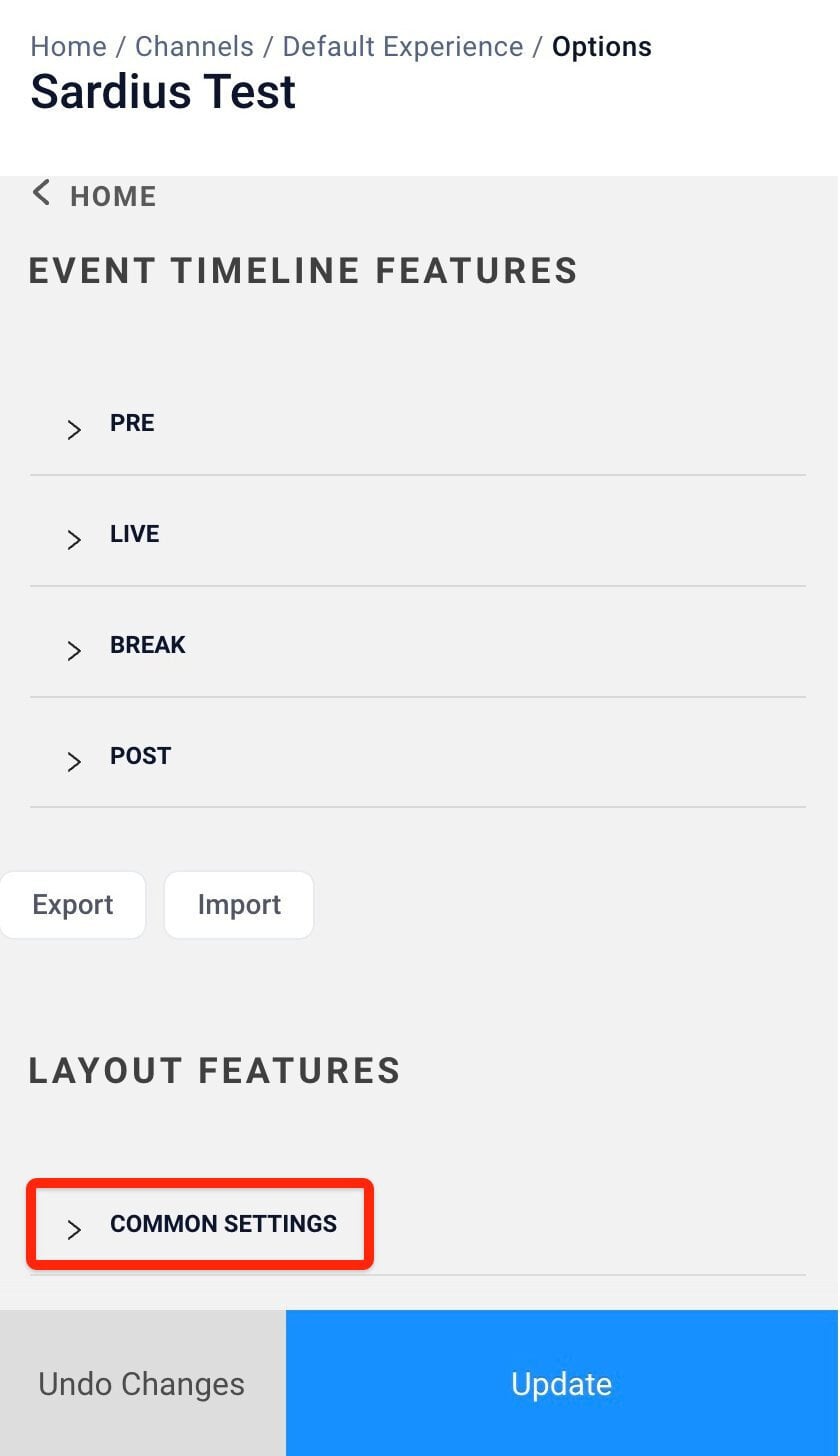
The options presented are Event Timeline Features & Layout Features. Common Settings is the first option under Layout Features. Clicking on it will expand it.
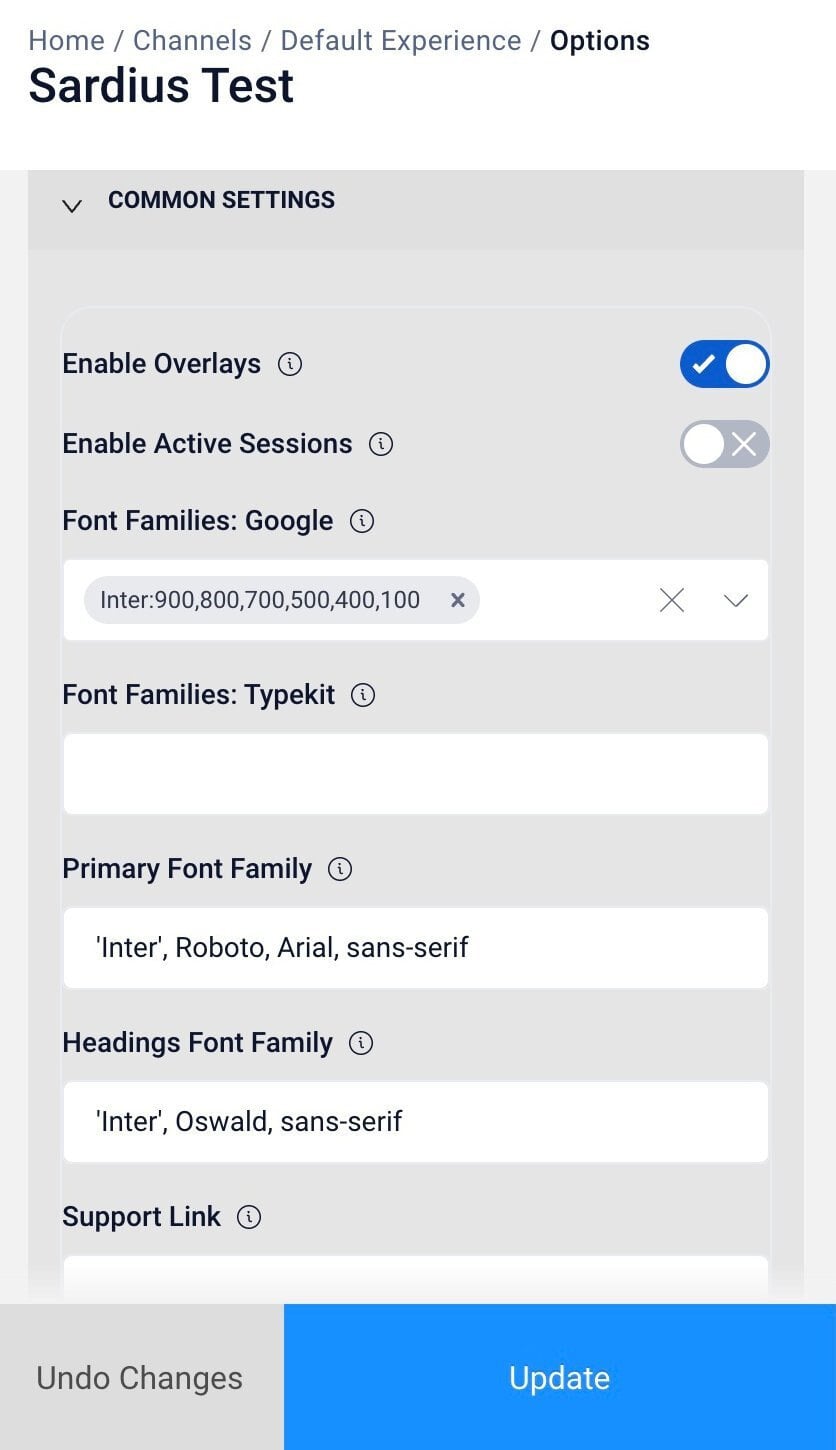
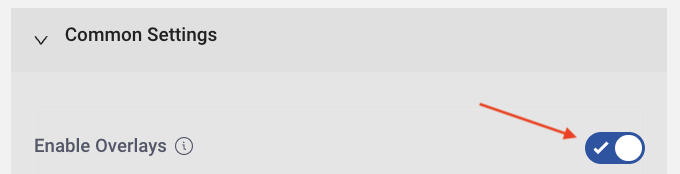
Enable Overlays
Enabling Overlays allows you to add images to your player. Enabling this feature allows you to schedule or trigger an image/ad to appear over your event window.
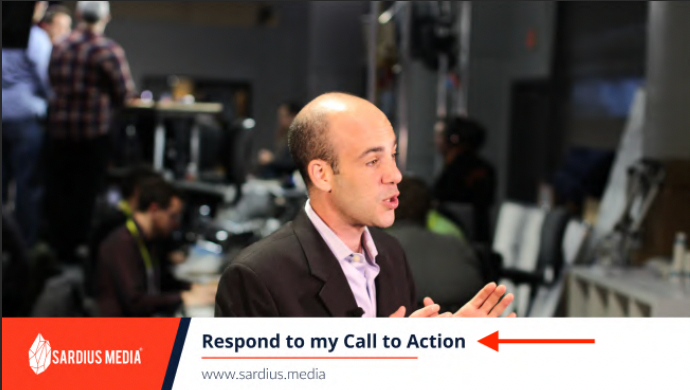
The default for this setting is enabled
Enable Active Sessions
- Active Sessions allows you to limit the number of sessions per account that can access the Channel. This feature is especially helpful for paid events to prevent the sharing of access links.
- When enabled, this enforces the account setting of active sessions on the page. If the account setting is set for 2, it will only allow 2 sessions at any time for an individual user to be able to access the page. You are able to set the number of sessions and change this number at any time in the Account Viewer Settings.
- Helpful Tip: in order to collect media session analytics on individual Viewers, this feature needs to be enabled, regardless of whether there is an active session limit or not. This feature also requires additional set up in Viewer Settings to function properly (you will need to set the limits that are being enabled)

Font Families
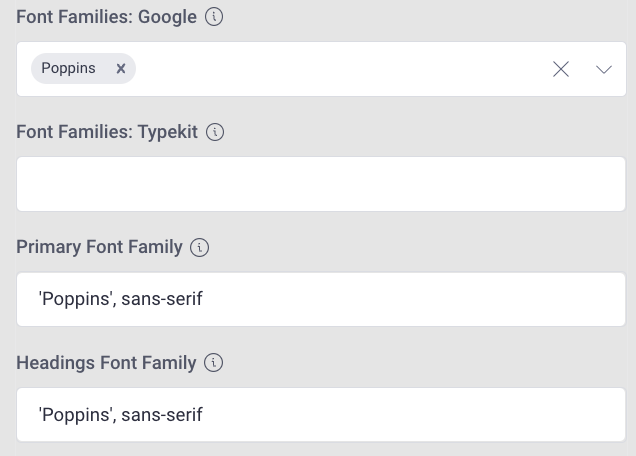
Font Families: Google
- Default fonts are available or you can update the fonts simply by going to Google Fonts and selecting a new style(s)
- Helpful Tip: You can also declare subsets (example: Oswald: 300,700)
Font Families: Toolkit
- Please use the Kit ID found within the Typekit’s editor interface or the Project ID from the Adobe Fonts Web Project Interface
Primary Font Family:
- This sets the CSS font family for the page
- If you have imported a font family with one of the two above settings, you need to set which font family should be primarily used on the Site
Headings Font Family:
- This sets the CSS font family for your headings and titles
Support Link, Support Text, & Video Refresh
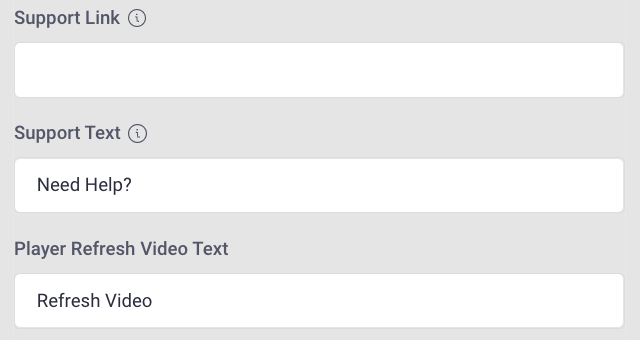
Support Link:
- This helpful tool is displayed under the player. You can add a URL or an email address. To open to an email window, use mailto:
Example: (ie. mailto:support@sardius.media)
Support Text:
- This text is displayed under the player and is customizable
- To hide this, leave the field empty
Player Refresh Video Text
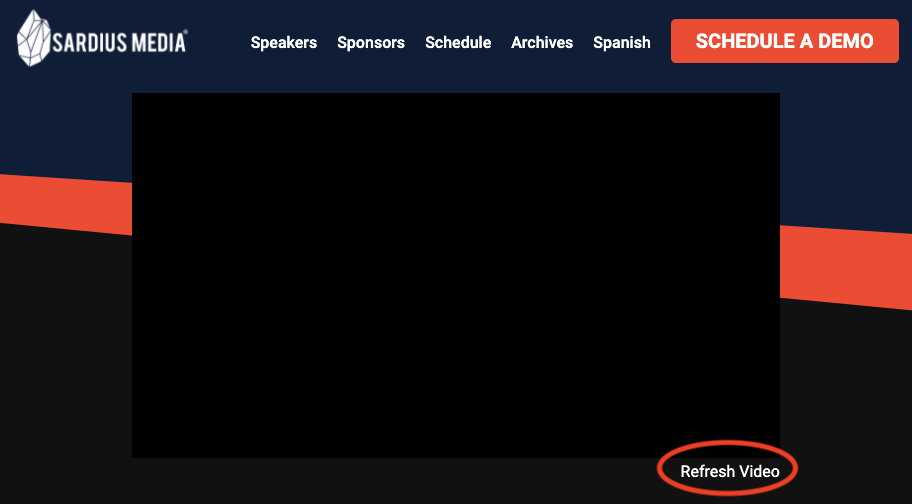
This text is displayed under the player, and while customizable, it's best to use language that clearly communicates what the button is designed to do.
Show Bios on Player Modal

When enabled, a biography of the current speaker will show up below the player, giving the viewer better understanding and familiarity with the person they are listening to.