
Note: A user with the Owner role will be able to create API Keys.
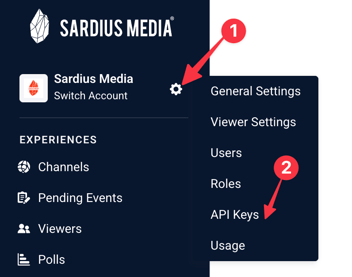
To create an API Key, locate the account settings icon beside your organization name, and then click "API Keys"
Click "New API Key" in the upper right corner.
In the modal that appears, enter in a name for the API Key, and then select the API Type.
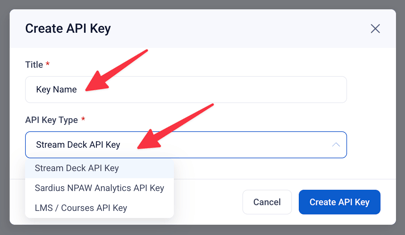
Our current API Types are:
- Stream Deck API Key
- Sardius NPAW Analytics API Key
- LMS / Courses API Key
Click "Create API Key" to finish.
Once your key is created, click on the additional actions on the far right of the key. You will be able to copy the API key to the clipboard, or delete the API Key.
Once an API key is created, it cannot be changed.